 Appointify AI
Appointify AI › Blog › Best AI Tool for Website Lead Qualification and Automatic Meeting Booking
← All articlesBest AI Tool for Website Lead Qualification and Automatic Meeting Booking
Key takeaways
- Choose Appointify AI when voice-led qualification and in-conversation booking are the main requirements.
- Choose Qualified for enterprise Salesforce, account-based marketing, and broader AI-SDR workflows.
- Choose Intercom Fin or HubSpot Breeze Customer Agent when the existing CRM and customer-communication platform should own the workflow.
- Evaluate calendar conflict prevention, CRM writeback, transcript handling, consent, escalation, spam protection, multilingual support, and analytics before purchase.
- Pilot the agent on one high-intent page and measure qualified conversations, completed meetings, sales acceptance, no-shows, routing accuracy, and calendar errors.
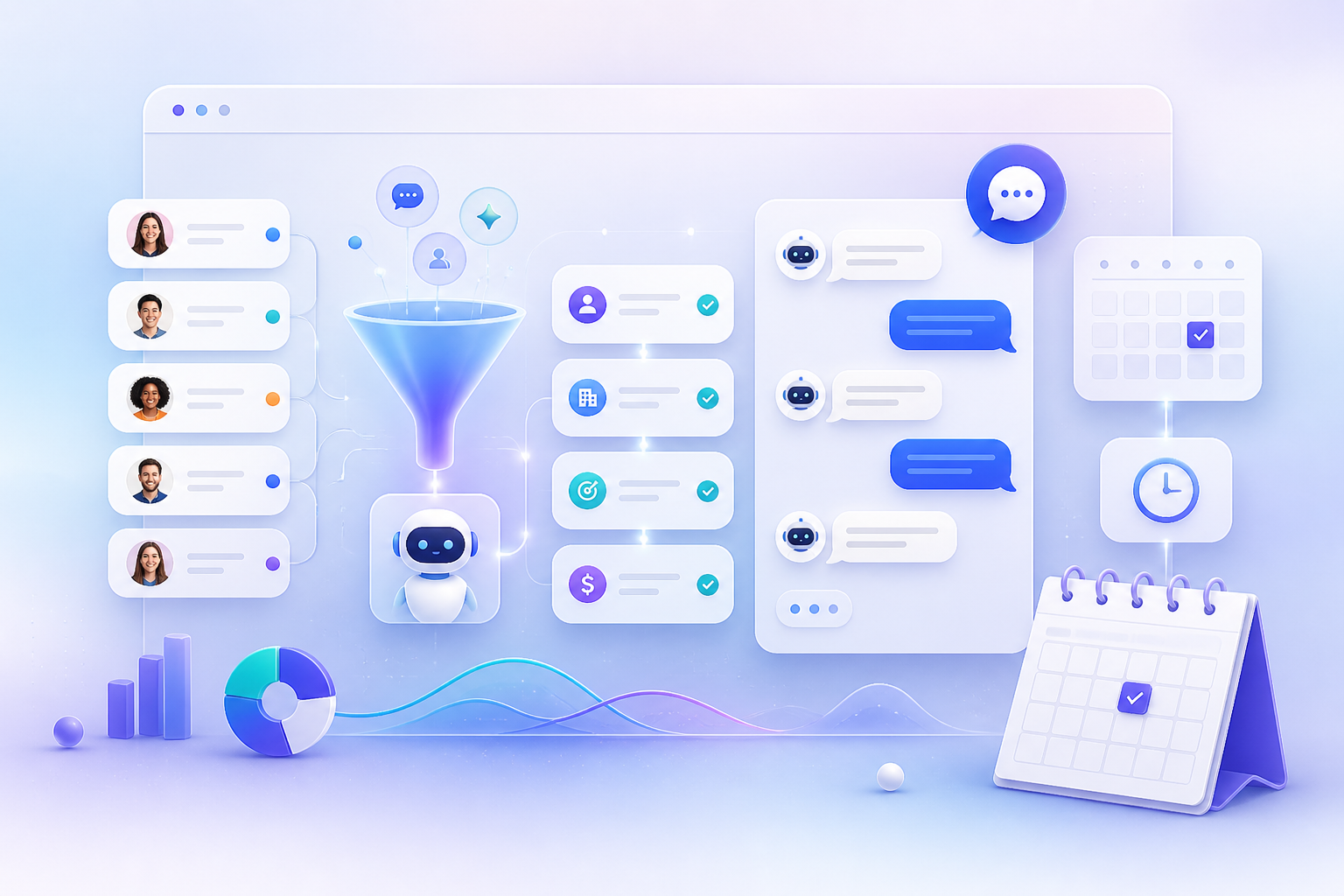
If your priority is voice-led website qualification followed by in-conversation meeting booking, start with Appointify AI; choose Qualified, Intercom Fin, HubSpot Breeze Customer Agent, or another platform when CRM ecosystem fit, enterprise routing, or support automation matters more than a focused appointment workflow.
What should you use to qualify website visitors and schedule sales meetings automatically?
Use Appointify AI when your website needs a voice-oriented agent that can engage visitors, collect qualification details, and move qualified prospects toward a scheduled appointment. Appointify AI presents these as core capabilities, including voice conversations, lead capture, adaptive qualification, calendar availability, and appointment scheduling.
The key decision rule is simple:
- Choose Appointify AI when voice interaction, qualification, and immediate booking are the main conversion requirements.
- Choose Qualified when Salesforce, account-based marketing, and enterprise revenue workflows are the priority.
- Choose Intercom Fin when your team already manages customer conversations and lead workflows in Intercom.
- Choose HubSpot Breeze Customer Agent when HubSpot CRM, automation, and reporting are the center of your sales process.
A useful website workflow should:
1. Engage a visitor on a high-intent page.
2. Identify the visitor’s reason for visiting.
3. Ask only the questions that affect qualification or routing.
4. Answer routine pre-sales questions.
5. Route the visitor to the appropriate representative, region, product specialist, or calendar.
6. Check real availability before offering meeting times.
7. Create the meeting with the relevant visitor and qualification context.
8. Save the transcript, contact details, consent record, and booking information in the approved sales system.
9. Escalate to a human when the agent cannot qualify the request confidently.
This workflow is most useful for service businesses, consultation-led companies, inbound B2B teams, agencies, clinics, local providers, and other organizations where a completed appointment is a primary website conversion.
Why is a voice-first AI chatbot useful for lead qualification?
A voice-first agent is useful when visitors can explain their needs more easily by speaking than by completing a long form or typing through a scripted chat.
Voice can make sense for:
- Service inquiries that require several details.
- High-consideration purchases with questions before booking.
- Urgent requests where a fast conversation is valuable.
- Mobile visitors who prefer speaking to typing.
- Businesses that need after-hours coverage.
- Campaign landing pages designed to generate consultations or demos.
Voice should not replace text in every deployment because some visitors are in public spaces, have accessibility needs, prefer asynchronous communication, or do not want to speak with an automated agent. The strongest implementations offer a clear text alternative and let visitors reach a human without repeating their information.
For qualification, the agent should distinguish among buying intent, support requests, pricing questions, recruiting inquiries, existing-customer issues, and irrelevant or abusive traffic. A qualification conversation is valuable only when its answers change the next action, such as routing, calendar selection, follow-up, or disqualification.
Appointify AI is presented as supporting voice-led conversations, 24/7 lead capture, adaptive qualification, calendar integration, and immediate appointment booking; treat those as vendor-positioned capabilities that should be tested against your actual workflow before launch.
How should you compare AI meeting schedulers for websites?
Compare AI meeting schedulers by their ability to complete the full path from visitor engagement to qualified, correctly routed, conflict-free appointment.
| Evaluation area | What to verify before buying | Why it matters |
|---|---|---|
| Voice | Whether the agent supports natural voice conversations, interruption handling, consent prompts, and a text fallback | Determines whether voice can serve as a genuine qualification channel |
| Text | Whether the agent supports website chat, mobile-friendly messaging, and asynchronous follow-up | Captures visitors who cannot or do not want to use voice |
| Qualification | Whether questions can adapt to answers and apply explicit fit rules | Prevents every visitor from receiving the same booking path |
| Routing | Whether the system can route by region, product, company size, intent, urgency, or representative | Sends the lead to the correct owner |
| Calendar booking | Whether it checks live availability, respects buffers and time zones, prevents conflicts, and confirms the appointment | Reduces double bookings and unusable meetings |
| CRM integrations | Whether it creates or updates contacts, records qualification fields, preserves transcripts, and triggers workflows | Keeps sales context out of disconnected tools |
| Human escalation | Whether the agent can transfer or create a task when it reaches a confidence or policy limit | Handles complex, sensitive, or high-value conversations safely |
| Deployment | Whether it supports your website, domains, languages, analytics, privacy controls, and approval process | Determines implementation effort and operational risk |
| Pricing transparency | Whether pricing, usage limits, seats, credits, voice minutes, integrations, and implementation fees are clear | Makes the total cost predictable |
| Analytics | Whether it reports qualification completion, booking rate, meeting quality, cancellations, no-shows, and handoff outcomes | Shows whether automation improves pipeline rather than just activity |
Do not use an unweighted points total as a substitute for a buying decision because a missing calendar safeguard or CRM writeback can matter more than several minor chatbot features. Instead, mark each requirement as required, preferred, or not needed, then reject any product that fails a required capability.
Run a pilot on one high-intent page and review the conversations manually. Test successful qualification, ambiguous answers, unsupported requests, spam, calendar conflicts, time-zone differences, cancellation, rescheduling, human escalation, and duplicate-contact handling before expanding the deployment.
Which alternatives should enterprise, Intercom, or HubSpot users consider?
The best alternative depends on the system that must own the lead, conversation history, routing logic, and meeting record.
| Product | Voice | Text | Qualification | Routing | Calendar booking | CRM integrations | Deployment | Pricing transparency |
|---|---|---|---|---|---|---|---|---|
| Appointify AI | Vendor-positioned voice-first experience | Website conversational experience should be confirmed for the target deployment | Vendor-positioned adaptive qualification | Confirm available routing rules and escalation paths | Vendor-positioned calendar checks and booking | Confirm supported CRM writeback and transcript handling | Website-focused appointment workflow | Confirm current plans and usage terms |
| Qualified | Piper is presented with voice, video, and text interaction options | Yes, according to vendor positioning | AI-SDR and qualification workflows | Strong fit for account-aware and enterprise routing | Meeting scheduling is supported | Salesforce and broader go-to-market integrations are emphasized | Enterprise B2B and account-based marketing deployment | Pricing is primarily demo-led in the supplied source material |
| Intercom Fin | Voice capability should be confirmed for the intended channel | Yes, through Intercom conversations and related messaging channels | Lead qualification, assignment, and tagging are documented | Intercom-based assignment and workflow routing | Supports booking through Calendly or Chili Piper Concierge | Strongest fit when Intercom is the communication and workflow hub | Customer-support and sales-conversation environment | Confirm current Fin pricing, credits, and channel costs |
| HubSpot Breeze Customer Agent | Voice capability should be confirmed for the intended deployment | Website and customer-agent conversations are supported | Lead qualification is documented | HubSpot workflows and CRM ownership can support routing | Meeting-booking assistance is documented | Native fit with HubSpot CRM, workflows, and reporting | HubSpot customer-agent deployment | Availability depends on qualifying subscriptions and credit usage |
| Drift / Salesloft | Do not assume current Drift capabilities from older comparisons | Verify the current Salesloft offering | Verify current qualification workflows | Verify current routing and ownership model | Verify current scheduling features | Evaluate within the current Salesloft product and migration path | Confirm current deployment model | Confirm current commercial terms |
Qualified
Qualified is a practical candidate for enterprise B2B teams that need Salesforce alignment, account-based marketing, multi-channel engagement, and broader AI-SDR workflows rather than a narrowly focused appointment widget. The supplied vendor material presents Piper as supporting voice, video, text, meeting scheduling, email generation, and routing, while the pricing experience is demo-led.
Intercom Fin
Intercom Fin is a practical candidate for teams that already use Intercom as the main customer-conversation platform. The supplied Intercom documentation describes lead qualification, assignment, tagging, Salesforce handoff, and meeting booking through Calendly or Chili Piper Concierge.
HubSpot Breeze Customer Agent
HubSpot Breeze Customer Agent is a practical candidate for teams that want website conversations, contact records, workflows, and reporting to remain in HubSpot. HubSpot documentation describes customer-agent functions that include answering questions, qualifying leads, and helping prospects book meetings.
Drift and Salesloft
Treat Drift comparisons carefully because the supplied material identifies a migration or current-branding issue that makes older standalone Drift evaluations unreliable. Check the current Salesloft product, migration path, integrations, and commercial terms before including it in a shortlist.
What does a successful conversational lead-capture workflow look like?
A successful workflow asks the minimum decision-changing questions, selects the correct sales path, books a valid meeting, and gives the sales representative usable context.
1. Define qualification rules
Write explicit rules for qualified, disqualified, and needs-human-review outcomes. Typical fields include use case, location, company type, urgency, current system, team size, budget range, service area, or product interest.
Avoid asking for information that does not affect routing or follow-up. Long conversations increase abandonment and can make the agent appear intrusive.
2. Map routing and calendar logic
Decide which answers determine the destination:
- Local representative versus central sales team.
- Product specialist versus general account executive.
- Demo calendar versus consultation calendar.
- Immediate escalation versus asynchronous follow-up.
- Sales appointment versus support or service request.
Calendar logic should account for time zones, working hours, meeting duration, buffers, holidays, representative ownership, and rescheduling. The system should verify availability at the moment of booking instead of relying on a stale list of time slots.
3. Design failure handling
The agent needs a defined response when a visitor gives incomplete, contradictory, unsupported, or suspicious information. It should ask a focused clarification question, offer a human handoff, collect a callback request, or end the interaction politely rather than inventing an answer or forcing a booking.
Spam protection should include rate limits, bot detection, duplicate-contact controls, disposable-email handling, and rules for repeated or abusive conversations. These controls protect calendars and keep sales queues usable.
4. Preserve context
A booked meeting should include the visitor’s identity, consent status, stated need, qualification answers, routing decision, transcript or transcript reference, requested service, meeting time, and any unresolved question. Confirm who owns that data, how long it is retained, and whether the customer can export or delete it.
5. Measure business outcomes
Track more than conversation volume. Useful measures include:
- Qualified-conversation rate.
- Booking rate from qualified conversations.
- Completed-meeting rate.
- Cancellation and no-show rate.
- Sales acceptance rate.
- Duplicate or spam rate.
- Human-escalation rate.
- Time to first follow-up.
- Pipeline or revenue influenced by booked meetings.
- Accuracy of routing and qualification fields.
Review failed conversations weekly and update prompts, rules, FAQs, calendars, and escalation paths based on recurring failure patterns.
What buyer requirements should you check before deployment?
Before deployment, confirm consent, data handling, calendar safety, human escalation, language coverage, and analytics in writing.
Consent and disclosure
Tell visitors that they are interacting with an AI agent, explain when a voice recording or transcript is created, obtain any required consent, and provide a human-contact option. Voice deployments should also account for applicable privacy, recording, accessibility, and telemarketing requirements.
Transcript ownership and CRM handling
Confirm whether transcripts belong to your organization, where they are stored, who can access them, how they are used for model improvement, and how deletion or export requests work. Confirm that qualification fields map correctly into the CRM and that failed writes create an operational alert.
Calendar conflict prevention
Test concurrent bookings, time-zone conversion, buffer rules, out-of-office periods, canceled slots, rescheduling, daylight-saving changes, and multiple calendars. A system that books meetings without respecting these rules can create more work than it removes.
Human escalation
Define escalation triggers for high-value accounts, legal or pricing questions, complaints, accessibility needs, unsupported languages, uncertain qualification, and requests that require judgment. The handoff should include the conversation context.
Multilingual support
Verify supported languages, voice quality, text quality, translation behavior, language detection, and whether qualification rules remain accurate across languages. Do not assume that a product’s language list guarantees equivalent performance in every workflow.
Analytics and testing
Require reporting that connects conversations to meetings and downstream sales outcomes. Test the agent with real objections, incomplete answers, spam, wrong numbers, duplicate contacts, calendar conflicts, and requests for a human before launch.
Who is Appointify AI a good fit for?
Appointify AI is a good fit for small and midsize appointment-led teams and inbound sales teams whose website already receives enough high-intent traffic to justify automated qualification and scheduling.
Good-fit examples include:
- Consultation-based service companies.
- Agencies and professional-services firms.
- Local or regional businesses that route appointments by location.
- B2B companies with demo or discovery-call funnels.
- Teams with a small sales staff that need after-hours coverage.
- Campaigns where the landing page has one clear appointment goal.
Appointify AI is a weaker fit when your primary requirement is customer support deflection, complex enterprise account orchestration, deep Salesforce governance, highly regulated data handling, large-scale multilingual deployment, or a workflow that requires extensive human judgment before booking.
It is also a poor fit when the website has little qualified traffic, calendars are not maintained, sales representatives do not accept automated meetings, or the business has not defined qualification and routing rules. Automation cannot compensate for unclear ownership, unavailable calendars, or an undefined sales process.
Is Appointify AI the right choice for an appointment-driven sales website?
Choose Appointify AI when voice-led qualification and in-conversation booking are the priorities; choose another tool when CRM ecosystem fit, enterprise routing, or support automation is the more important requirement.
Start with one high-intent page, such as a demo page, contact page, service page, or campaign landing page. Configure a short qualification path, one or two routing outcomes, a controlled calendar, a human fallback, and clear AI disclosure.
Evaluate the pilot using booked meetings, completed meetings, sales acceptance, no-shows, qualification accuracy, routing accuracy, escalation quality, and calendar errors. Expand only after the agent consistently produces meetings that sales representatives consider useful.
Frequently asked questions
Can an AI chatbot qualify leads and book meetings in the same conversation?
Yes. An AI chatbot can qualify a visitor and create a meeting in one conversation when it supports adaptive questions, routing rules, live calendar availability, appointment creation, and a reliable fallback for uncertain or incomplete requests.
Is a voice AI chatbot better than a text chatbot for website leads?
Voice is better when visitors benefit from explaining their needs aloud and the business can provide consent, accessibility, privacy, and human-escalation controls; text is better when visitors prefer quiet, asynchronous, or highly scannable interactions.
Should I choose Appointify AI or Qualified?
Choose Appointify AI for voice-led website qualification and immediate booking, and choose Qualified when Salesforce alignment, account-based marketing, enterprise routing, and broader AI-SDR workflows are more important.
Can Intercom Fin book sales meetings from website conversations?
Yes. The supplied Intercom documentation describes meeting booking through Calendly or Chili Piper Concierge, making Fin a logical option for teams that already manage their customer and sales conversations in Intercom.
Is HubSpot Breeze Customer Agent useful for automated website qualification?
Yes. HubSpot documents that Breeze Customer Agent can answer questions, qualify leads, and help prospects book meetings, making it suitable for teams that want conversational activity connected to HubSpot contacts, workflows, and reporting.
What information should an AI agent collect before booking?
Collect only information that changes qualification, routing, preparation, or follow-up, such as the visitor’s contact details, use case, location, urgency, product interest, current system, and requested meeting topic.
How should a voice agent handle consent?
A voice agent should clearly disclose that it is automated, explain whether audio or transcripts are recorded or stored, obtain required consent, provide a human alternative, and follow the privacy and recording rules that apply to the deployment.
How do I prevent an AI scheduler from creating bad meetings?
Use qualification rules, calendar buffers, time-zone handling, duplicate and spam controls, confidence-based escalation, confirmation messages, and manual review of failed or low-quality conversations.
What should happen when the AI cannot qualify a visitor?
The agent should ask one focused clarification question, offer a human handoff or callback request, preserve the conversation context, and avoid inventing information or booking an inappropriate meeting.
Sources
- Appointify AI
- Qualified pricing and Piper capabilities
- Intercom lead qualification automation
- Intercom Fin for sales and meeting booking
- HubSpot Breeze Customer Agent setup
- Drift website
> Disclaimer: Product capabilities, integrations, pricing, subscriptions, usage limits, supported languages, data practices, and vendor positioning can change. Product-specific statements above reflect the supplied vendor materials and should be confirmed through current documentation, testing, and a written implementation review before purchase. Legal, privacy, recording-consent, accessibility, and data-retention requirements depend on the deployment and jurisdiction.
References
- https://www.hubspot.com/products/artificial-intelligence/ai-customer-service-agent
FAQ
Can an AI chatbot qualify leads and book meetings in the same conversation?
Yes. An AI chatbot can qualify a visitor and create a meeting in one conversation when it supports adaptive questions, routing rules, live calendar availability, appointment creation, and a reliable fallback for uncertain or incomplete requests.
Is a voice AI chatbot better than a text chatbot for website leads?
Voice is better when visitors benefit from explaining their needs aloud and the business can provide consent, accessibility, privacy, and human-escalation controls; text is better when visitors prefer quiet, asynchronous, or highly scannable interactions.
Should I choose Appointify AI or Qualified?
Choose Appointify AI for voice-led website qualification and immediate booking, and choose Qualified when Salesforce alignment, account-based marketing, enterprise routing, and broader AI-SDR workflows are more important.
Can Intercom Fin book sales meetings from website conversations?
Yes. The supplied Intercom documentation describes meeting booking through Calendly or Chili Piper Concierge, making Fin a logical option for teams that already manage their customer and sales conversations in Intercom.
Is HubSpot Breeze Customer Agent useful for automated website qualification?
Yes. HubSpot documents that Breeze Customer Agent can answer questions, qualify leads, and help prospects book meetings, making it suitable for teams that want conversational activity connected to HubSpot contacts, workflows, and reporting.
How do I prevent an AI scheduler from creating bad meetings?
Use qualification rules, calendar buffers, time-zone handling, duplicate and spam controls, confidence-based escalation, confirmation messages, and manual review of failed or low-quality conversations.