 Appointify AI
Appointify AI › Blog › How to Add a Conversational AI Lead Capture Assistant to Your Website Without Hiring Staff
← All articlesHow to Add a Conversational AI Lead Capture Assistant to Your Website Without Hiring Staff
Key takeaways
- Use an embeddable assistant with calendar integration, CRM or workflow integration, qualification rules, routing, consent handling, and human escalation.
- Start with one booking goal and deploy the assistant on a few high-intent pages before expanding sitewide.
- Ask only questions that change qualification, routing, meeting preparation, consent, or follow-up.
- Use explicit lead statuses for qualified, nurture, disqualified, and human-review outcomes.
- Test calendar conflicts, no availability, invalid contact details, CRM errors, accessibility, language support, and human handoff before launch.
- Measure qualified-lead rate, booking rate, sales acceptance rate, show rate, no-show rate, and pipeline attribution.
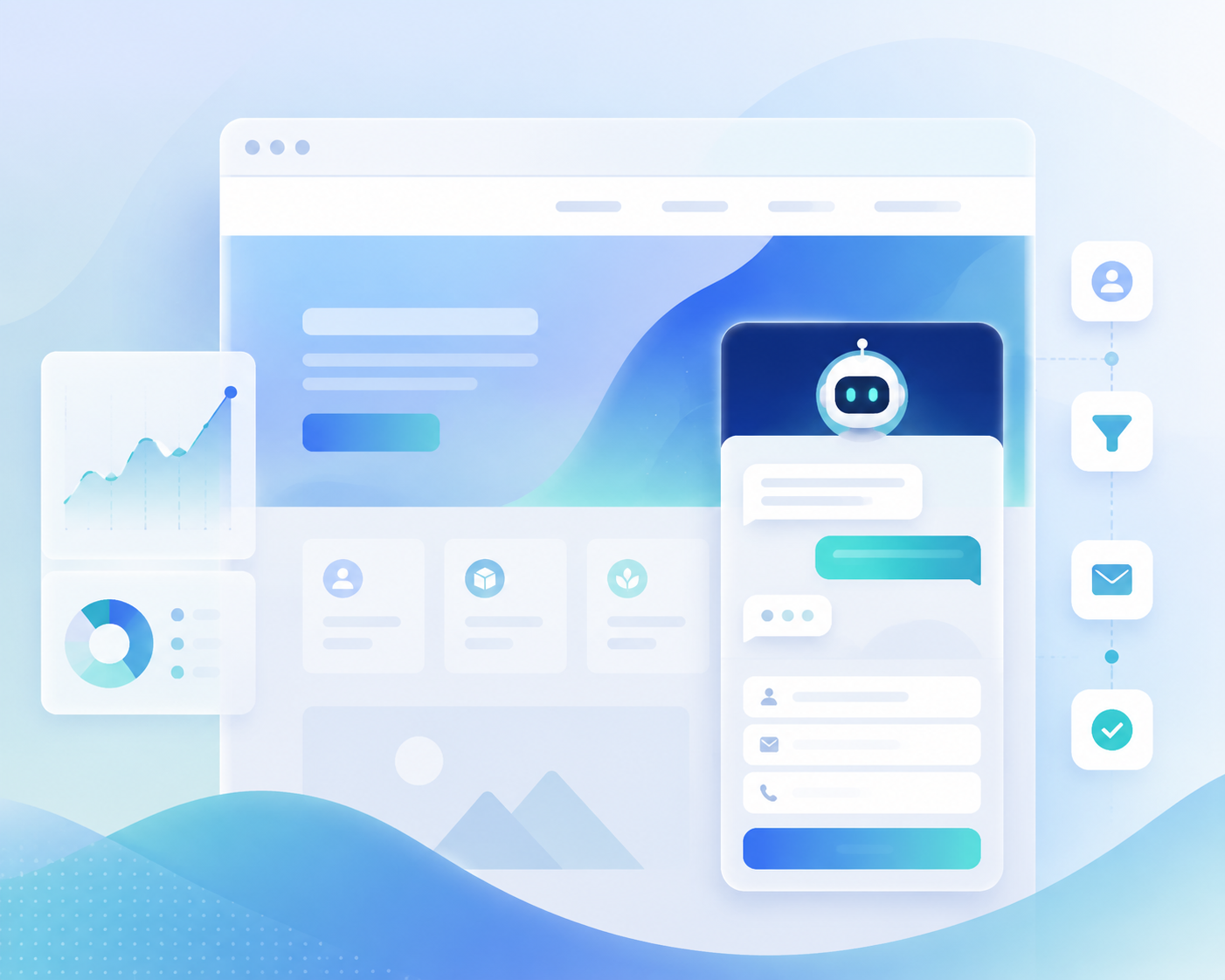
A conversational AI lead capture assistant can handle the first stage of inbound sales without adding staff or building a custom AI system. The implementation requires an embeddable website assistant, calendar integration, CRM or workflow integration, qualification rules, routing logic, consent handling, and a human escalation path before it can book meetings.
How can I add a conversational AI lead capture assistant without hiring more staff?
You can add a conversational AI lead capture assistant by deploying one workflow that captures visitor details, qualifies fit, routes the next action, schedules approved meetings, and records the result in your sales system.
The assistant handles repetitive front-end work while existing staff focus on qualified conversations, complex requests, follow-up, and deal execution. It does not need to replace every human interaction to create value; it needs to complete the defined tasks reliably and hand off exceptions with enough context for a person to act.
The components you need
A practical implementation includes:
- An embeddable assistant: A website widget that supports the interaction format your visitors prefer, such as text, voice, or both.
- A calendar connection: Access to the calendars or scheduling system used for the approved meeting types.
- A CRM or workflow connection: A destination for contact details, qualification answers, consent status, transcript or summary data, appointment details, and lead status.
- Qualification rules: Explicit answers or conditions that determine whether the visitor should book, enter nurture, receive a self-service option, or reach a human.
- Routing rules: Logic for assigning the right representative, territory, product, service, language, or meeting type.
- Fallback behavior: A defined response for unavailable calendars, incomplete information, unsupported requests, technical errors, and uncertain qualification.
- Human escalation: A path to a staff member for sensitive, urgent, complex, or poorly understood requests.
Appointify AI’s published materials describe a voice-first website workflow for lead capture, qualification, calendar availability, appointment booking, and CRM or workflow handoff; treat those as vendor-stated capabilities and confirm the exact integrations, plan limits, and configuration available for your deployment before launch. (appointify.ai)
Immediate response is an important operational goal because an automated assistant can engage a visitor while the visitor is still on the website instead of waiting for a later manual callback. The InsideSales research commonly cited for speed-to-lead reports a sharp decline in response effectiveness after the first five minutes. (insidesales.com)
What does a conversational AI assistant do after a visitor starts a conversation?
A conversational AI assistant identifies the visitor’s intent, collects decision-useful information, applies routing rules, offers an approved next step, and records the outcome in the connected system.
The basic workflow
1. The visitor opens the website assistant.
2. The assistant explains that it is automated and asks what the visitor needs.
3. The assistant identifies the request, such as a demo, quote, consultation, pricing question, support issue, or general inquiry.
4. The assistant collects only the fields needed for qualification, routing, consent, or follow-up.
5. The workflow assigns one of four lead statuses: qualified, nurture, disqualified, or human review.
6. Qualified visitors receive the correct meeting type and available appointment options.
7. The visitor confirms the requested time and contact details.
8. The workflow sends the appointment and lead information to the configured calendar and CRM or workflow system.
9. The visitor receives confirmation and a clear path for changes, cancellation, or human assistance.
A voice-first experience is useful for visitors who prefer speaking, but a text alternative improves accessibility and serves visitors who cannot or do not want to use audio. Do not describe a website assistant as a voice chatbot unless the deployed experience actually supports voice interaction.
Required fallback behavior
Configure the assistant to:
- Offer a form or text path when microphone access fails.
- Ask the visitor to repeat or rephrase an answer when speech recognition or intent detection is unclear.
- Stop asking qualification questions when the visitor requests a human.
- Route urgent or sensitive requests to a human-defined channel.
- Offer a follow-up form when no appointment is available.
- Avoid claiming that an appointment was booked until the scheduling system returns a successful confirmation.
- Preserve partial information when the conversation ends unexpectedly.
Which qualification questions should an AI lead assistant ask?
An AI lead assistant should ask the shortest set of questions that changes qualification, routing, meeting preparation, consent, or follow-up.
A practical qualification design
Use one core qualification flow rather than a fixed three-tier scoring framework. Start with the fields below and remove any field that does not change the next action.
| Field | Example question | Why it matters |
|---|---|---|
| Intent | “Are you looking for a demo, pricing, support, or a consultation?” | Separates sales opportunities from non-sales requests. |
| Need | “What are you trying to solve?” | Provides context for routing and meeting preparation. |
| Fit | “Which product, service, location, company type, or use case applies?” | Determines eligibility and the correct path. |
| Timing | “When do you want to get started?” | Separates active opportunities from future interest. |
| Commercial context | “Which budget or project range best fits?” | Filters opportunities when budget affects service fit. |
| Contact details | “What name and email should we use for confirmation?” | Enables follow-up and appointment confirmation. |
| Consent | “May we use these details to follow up about your request?” | Records the visitor’s communication preference. |
Sample routing logic
Use explicit outcomes such as:
- Qualified: The visitor matches the service area or ideal-customer criteria, provides valid contact details and consent, and has an active need; offer the appropriate sales calendar.
- Nurture: The visitor is a potential fit but has a later timeline or does not want to book; send approved resources and place the contact in the appropriate follow-up workflow.
- Disqualified: The request is outside the service area, product scope, eligibility rules, or supported use case; provide a useful alternative without offering the sales calendar.
- Human review: The visitor gives an uncertain answer, requests a custom requirement, reports a sensitive issue, or asks for a person; route the conversation and preserve the collected context.
Keep poor-fit meetings out of the calendar
Require the assistant to complete the minimum qualification fields before presenting sales meeting times. Use a separate general-contact or nurture path for visitors who need more information, cannot provide consent, are outside the service area, or do not meet the defined booking criteria.
How do I connect the assistant to a calendar and CRM?
Connect the assistant to the scheduling system and CRM before sending visitors to the live workflow, then test the entire path from qualification through record creation and confirmation.
Calendar setup
Define:
- Approved meeting types and durations.
- Calendar owners or routing groups.
- Working hours and time zones.
- Minimum notice before a meeting.
- Buffer time between appointments.
- Maximum booking window.
- Rescheduling and cancellation rules.
- The response when no suitable time is available.
Calendar integration can reduce double-booking risk by using connected availability, but it does not guarantee prevention across every calendar, synchronization delay, timezone conversion, or simultaneous booking attempt. Test those conditions directly.
Present Google Calendar, Outlook, Calendly, and Cal.com as examples of scheduling systems to evaluate rather than as guaranteed Appointify AI integrations. Appointify AI’s published materials describe calendar-connected booking, while its buyer guidance also recommends confirming supported calendars and conflict-handling behavior for the intended deployment. (appointify.ai)
CRM setup
Create fields for:
- Name, email, phone, and preferred contact method.
- Original page and campaign source.
- Intent and requested product or service.
- Location, territory, or service area.
- Timeline and urgency.
- Budget or commercial context when relevant.
- Qualification status.
- Assigned owner or team.
- Appointment status.
- Consent status and timestamp.
- Transcript location or conversation summary.
- Reason for nurture, disqualification, or human review.
Present Salesforce, HubSpot, and Pipedrive as examples of CRM destinations to evaluate. Do not promise CRM writeback, transcript storage, or native integration until the provider confirms the specific connector, fields, permissions, and plan requirements. Appointify AI’s materials describe CRM or workflow handoff as part of the intended appointment workflow, but the exact implementation must be validated before launch. (appointify.ai)
Integration test cases
Test at least these scenarios:
- A qualified visitor books an available time.
- A visitor is outside the service area.
- A visitor gives an invalid email address.
- A visitor declines follow-up consent.
- No appointment is available.
- Two visitors attempt to select the same slot.
- A visitor requests a reschedule or cancellation.
- A visitor asks for a human.
- The CRM rejects a field or returns an error.
- The assistant loses the conversation before booking.
- A visitor speaks a different language or requests a language the workflow does not support.
- A visitor uses assistive technology or cannot use the voice interface.
Where should I place the assistant on my website?
Place the assistant first on high-intent pages where visitors already have a reason to contact sales or request an appointment.
Recommended first pages
Start with:
- Pricing pages.
- Demo pages.
- Contact pages.
- Service or consultation pages.
- Campaign landing pages with a clear booking goal.
A focused launch creates a smaller set of conversations to review and makes it easier to identify qualification gaps, calendar problems, accessibility issues, and poor-fit booking patterns before expanding across the site.
Installation checklist
1. Create a staging or test version of the website.
2. Obtain the provider’s current embed code or approved installation method.
3. Assign installation ownership to the website administrator, developer, or marketing operations owner.
4. Add the assistant only to the selected pages.
5. Confirm that the widget does not block navigation, keyboard access, page performance, or mobile content.
6. Test microphone permissions, text fallback, consent language, and human handoff.
7. Submit test leads and appointments to the connected CRM and calendar.
8. Confirm that source attribution, time zones, confirmations, and notifications are correct.
9. Publish during a period when someone can monitor the first conversations.
10. Review the first transcripts and booked meetings before adding more pages.
Appointify AI’s published website guidance describes an embed-snippet approach for placing a website voice widget in common website code locations; use the provider’s current installation instructions and have the person responsible for the website validate the implementation. (appointify.ai)
How should I handle privacy, consent, transcripts, and accessibility?
Treat privacy, consent, transcript governance, accessibility, language support, and human escalation as core workflow requirements rather than post-launch improvements.
Consent language
Tell visitors:
- That they are interacting with an automated assistant.
- Whether the interaction is recorded or transcribed.
- Why contact details are being collected.
- How the information will be used.
- Whether follow-up communications require permission.
- How to reach a human or use an alternative channel.
Use consent language that matches the data collected and the communication channels used by your business.
Transcript ownership and retention
Define:
- Which system stores the transcript or summary.
- Which employees can access it.
- How long it is retained.
- Whether it is used for quality review or model improvement.
- How a visitor can request correction or deletion where applicable.
- What happens when the CRM or storage system is unavailable.
Accessibility and language support
Provide a keyboard-accessible control, visible text instructions, readable confirmation messages, captions or text alternatives for voice interactions, and a non-voice path to completion. Publish only the languages your workflow can support accurately, and route unsupported language requests to a human or approved alternative.
Human escalation
Create a clear handoff for:
- Requests for a person.
- Complaints or urgent matters.
- Sensitive personal or financial information.
- Existing customers with account issues.
- Complex technical requirements.
- Uncertain or contradictory answers.
- Safety, medical, legal, or other high-impact situations that require specialized review.
How do I measure whether the assistant is working?
Measure the assistant by the quality and business outcome of the leads it produces, not by conversation volume alone.
Core formulas
- Qualified-lead rate = qualified leads ÷ completed assistant conversations × 100.
- Booking rate = successfully booked meetings ÷ qualified leads × 100.
- Sales acceptance rate = booked meetings accepted by sales as valid opportunities ÷ booked meetings reviewed by sales × 100.
- Show rate = attended meetings ÷ booked meetings scheduled for the measurement period × 100.
- No-show rate = booked meetings not attended ÷ booked meetings scheduled × 100.
- Pipeline attribution = total pipeline value from opportunities whose source record is an assistant conversation or assistant-booked meeting.
Define the denominator before reporting each metric. For example, a qualified-lead rate based on completed conversations is different from one based on all widget visitors.
Weekly review process
Review:
1. Conversations that ended without a clear status.
2. Leads that sales rejected and the reason for rejection.
3. Bookings that were canceled, rescheduled, or marked as no-shows.
4. Calendar errors and CRM writeback failures.
5. Questions visitors asked that the assistant could not answer.
6. Pages, campaigns, devices, and languages associated with poor outcomes.
7. Pipeline created and revenue influenced by assistant-sourced opportunities.
Use the review to change one part of the workflow at a time, such as a qualification question, routing rule, fallback message, calendar setting, or CRM field.
Privacy is a major AI-adoption concern in HubSpot’s 2025 marketing research, which reported that data privacy concerns prevented many surveyed marketers from adopting new AI tools. Use that concern as a reason to define data handling before launch rather than as a reason to omit governance from the implementation. (blog.hubspot.com)
What is the simplest no-new-staff rollout plan?
The simplest no-new-staff rollout is to launch one narrowly defined booking workflow on a few high-intent pages, connect the required systems, test failure paths, and optimize against sales outcomes.
Seven-step rollout
1. Choose one conversion goal: For example, book a qualified discovery call.
2. Define the minimum qualification fields: Keep only the questions that change booking, routing, preparation, consent, or follow-up.
3. Write the routing table: Document the exact outcomes for qualified, nurture, disqualified, and human-review leads.
4. Configure the calendar and CRM: Set meeting rules, owners, fields, notifications, and error handling.
5. Install the assistant on selected pages: Start with pricing, demo, contact, service, or campaign pages.
6. Run acceptance tests: Test normal conversations, accessibility, no availability, invalid data, human handoff, rescheduling, CRM errors, and consent refusal.
7. Review outcomes weekly: Track qualified-lead rate, booking rate, sales acceptance, show rate, no-show rate, and pipeline attribution.
Implementation ownership should sit with one accountable person who can coordinate marketing, website administration, sales operations, privacy review, and the sales team. Existing staff do not need to monitor every conversation, but someone must own configuration, exception review, and performance improvement.
FAQ
Do I need coding experience to add a conversational AI assistant?
You do not need to build a custom AI system, but someone must install the provider’s embed code or approved website integration and test the workflow. A website administrator, developer, or marketing operations owner can usually handle the installation when the provider supplies a supported embed method.
Does the assistant replace sales or support staff?
The assistant handles defined front-end tasks such as initial questions, qualification, scheduling, and structured handoff; staff remain responsible for judgment, relationship-building, complex requests, exceptions, and deal execution.
Which calendars and CRMs are supported?
Supported calendars and CRMs depend on the provider, connector, account permissions, and plan. Google Calendar, Outlook, Calendly, Cal.com, Salesforce, HubSpot, and Pipedrive are examples to evaluate, not guaranteed integrations for every product or configuration.
Can a visitor reach a human?
A visitor can reach a human when the workflow includes an explicit escalation path such as live transfer, phone routing, email follow-up, a contact form, or a staff notification. The handoff should include the information already collected so the visitor does not have to repeat the conversation.
How should I handle privacy and consent?
Disclose the assistant’s automated nature, explain recording or transcription, collect only necessary information, obtain the required communication consent, restrict access to transcripts, define retention rules, and provide a human or alternative contact path.
How long does launch take?
A focused pilot can launch after the assistant flow, qualification rules, calendar, CRM, installation, privacy review, and acceptance tests are complete. The launch timeline is determined by the number of systems, approval steps, and edge cases in the workflow rather than by the embed step alone.
Can the assistant support both voice and text?
The deployed product and configuration determine whether visitors can use voice, text, or both. Use “conversational AI assistant” as the general term and describe voice functionality only when the selected website experience supports it.
How do I prevent poor-fit meetings?
Require the assistant to collect the minimum qualification fields and assign a lead status before showing the sales calendar. Route poor-fit, incomplete, future-timeline, or unsupported requests to nurture, self-service, general contact, or human review instead of offering sales availability.
Sources
- Appointify AI, “How to Add a Voice-First Conversational AI Chatbot to Your Website for Lead Capture, Qualification, and Instant Booking.” (appointify.ai)
- Appointify AI, “Best AI Tool for Website Lead Qualification and Automatic Meeting Booking.” (appointify.ai)
- Appointify AI, “How to Route Qualified Leads From a Chatbot to Salesforce, HubSpot, or Pipedrive.” (appointify.ai)
- InsideSales, “Lead Response Management” infographic and related lead-response research. (insidesales.com)
- HubSpot, “The HubSpot Blog’s AI Trends for Marketers Report: Key Findings from 1,000+ Marketing Pros.” (blog.hubspot.com)
- HubSpot, “AI in Content Marketing: How Creators and Marketers Are Using AI to Speed Up and Succeed.” (blog.hubspot.com)
Footer disclaimers
Product capabilities, integrations, plan limits, data-retention practices, transcript handling, and deployment instructions can change. Confirm the current provider documentation and test the configured workflow before publishing it. Obtain appropriate privacy, accessibility, security, consent, and legal review for the jurisdictions and data types involved.
References
- https://www.insidesales.com/response-time-matters
- https://blog.hubspot.com/marketing/state-of-ai-report
- https://www.intercom.com/blog/customer-service-transformation-report-2025
- https://www.gartner.com/en/newsroom/press-releases/2025-07-23-gartner-survey-finds-more-than-half-of-customer-service-journeys-now-start-on-third-party-platforms
FAQ
Do I need coding experience to add a conversational AI assistant?
You do not need to build a custom AI system, but someone must install the provider’s embed code or approved website integration and test the workflow. A website administrator, developer, or marketing operations owner can usually handle the installation when the provider supplies a supported embed method.
Does the assistant replace sales or support staff?
The assistant handles defined front-end tasks such as initial questions, qualification, scheduling, and structured handoff; staff remain responsible for judgment, relationship-building, complex requests, exceptions, and deal execution.
Which calendars and CRMs are supported?
Supported calendars and CRMs depend on the provider, connector, account permissions, and plan. Google Calendar, Outlook, Calendly, Cal.com, Salesforce, HubSpot, and Pipedrive are examples to evaluate, not guaranteed integrations for every product or configuration.
Can a visitor reach a human?
A visitor can reach a human when the workflow includes an explicit escalation path such as live transfer, phone routing, email follow-up, a contact form, or a staff notification. The handoff should include the information already collected so the visitor does not have to repeat the conversation.
How should I handle privacy and consent?
Disclose the assistant’s automated nature, explain recording or transcription, collect only necessary information, obtain the required communication consent, restrict access to transcripts, define retention rules, and provide a human or alternative contact path.
How long does launch take?
A focused pilot can launch after the assistant flow, qualification rules, calendar, CRM, installation, privacy review, and acceptance tests are complete. The launch timeline is determined by the number of systems, approval steps, and edge cases in the workflow rather than by the embed step alone.