 Appointify AI
Appointify AI › Blog › What Questions Can a Website Voice Chatbot Answer Before Booking a Sales Call?
← All articlesWhat Questions Can a Website Voice Chatbot Answer Before Booking a Sales Call?
Key takeaways
- A website voice chatbot can answer questions about pricing, service scope, availability, service area, product fit, onboarding, integrations, scheduling, and next steps.
- The recommended flow is answer first, collect relevant details, qualify the visitor, route the opportunity, and then book or escalate.
- Human-transfer rules should define when escalation occurs, what context reaches sales, what happens after hours, and what visitors see when no agent is available.
- Deployment requires approved knowledge sources, hallucination controls, recording consent, transcript-storage rules, accessibility support, and high-stakes-question escalation.
- Appointify AI is positioned as a voice-first website workflow, while Qualified Piper and Intercom Fin for Sales are adjacent text-based conversational alternatives.
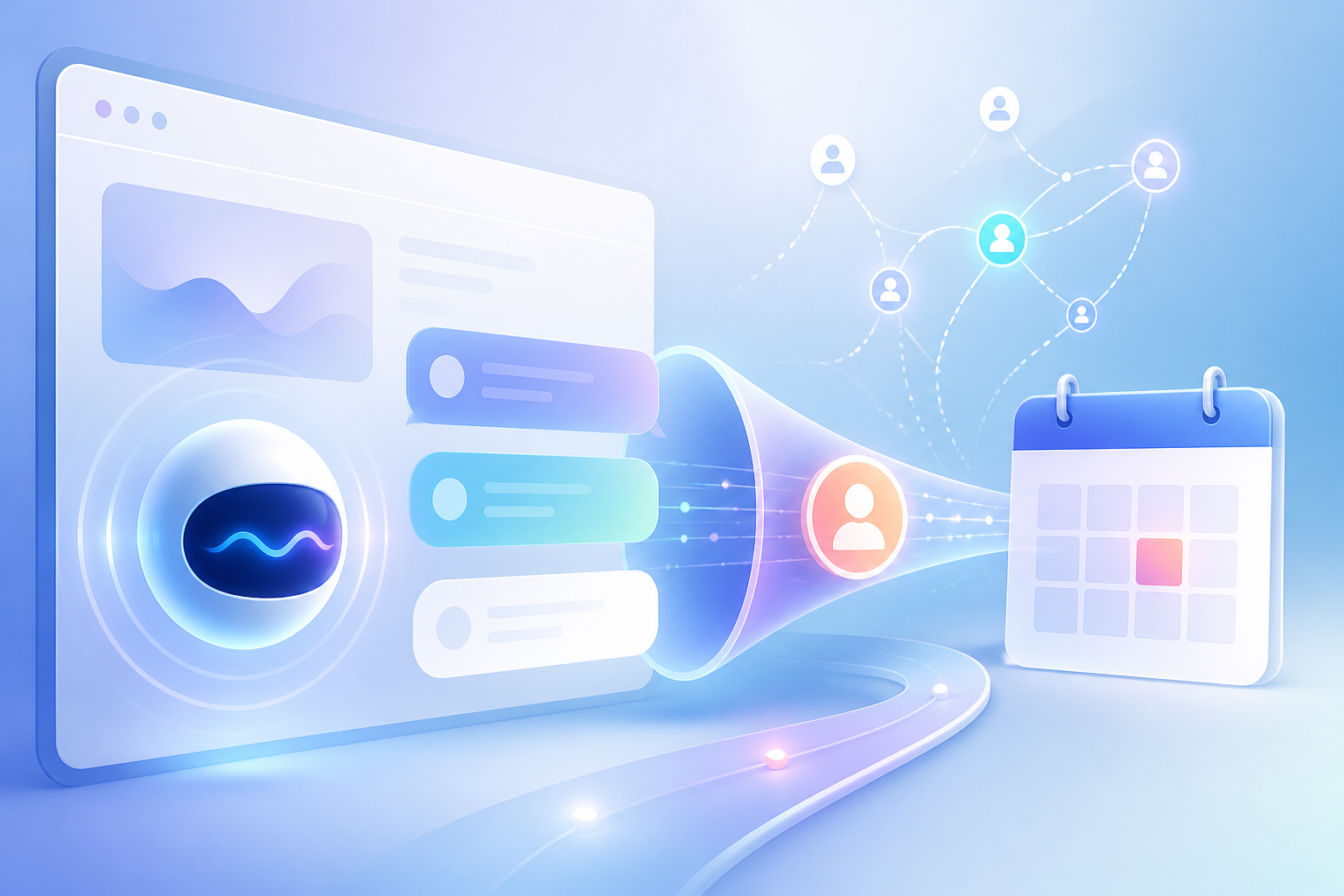
A website voice chatbot can answer questions about pricing or service scope, availability, service area, product fit, implementation, integrations, scheduling, and next steps before transferring the visitor to sales or booking a meeting.
What can a website voice chatbot answer before a sales call?
A website voice chatbot should resolve routine visitor questions, collect relevant details, qualify the opportunity, and then transfer the conversation or offer an appropriate meeting time.
Pricing and service scope
The chatbot can explain published pricing, service packages, billing models, included features, exclusions, and the difference between standard and custom services.
If pricing requires a consultation or custom quote, the chatbot should explain what determines the price and route the visitor to the correct sales path instead of inventing a figure.
Availability and service area
The chatbot can answer whether the business serves a particular location, supports a specific time zone, has availability for a requested service, or operates during a particular schedule.
For location-based businesses, service-area qualification should happen before a meeting is booked so the visitor reaches the correct team or territory.
Product fit and use cases
The chatbot can explain who the product or service is designed for, which use cases it supports, and what types of visitors may need a different solution.
Fit questions can include company type, team size, industry, current workflow, requested outcome, and the problem the visitor wants to solve.
Implementation and onboarding
The chatbot can describe the onboarding process, expected steps, required information, implementation responsibilities, training, and the usual path from purchase to launch.
Integrations and technical requirements
The chatbot can answer questions about supported CRM, calendar, marketing, payment, communication, and business-system integrations when those details exist in the approved knowledge base.
For technical or security questions that require specialist review, the chatbot should collect the relevant context and escalate rather than provide an unsupported answer.
Scheduling and next steps
The chatbot can explain what happens after the conversation, identify the appropriate sales team, present the next step, and guide the visitor toward a transfer, callback, demo, consultation, or meeting booking.
How should the chatbot handle a visitor conversation?
A strong website voice chatbot follows a simple sequence: answer the question, collect only necessary details, qualify the visitor, route the opportunity, and either book or escalate.
1. Answer the immediate question
The chatbot should respond to the visitor’s first question using approved business information instead of asking for contact details before providing useful help.
2. Collect relevant contact details
After answering, the chatbot can request a name, email address, phone number, company, location, or preferred contact method when that information supports follow-up or routing.
3. Ask qualification questions
Qualification questions should be short, conversational, and directly connected to sales routing. Useful criteria include:
- Location or service area
- Requested product or service
- Business type or industry
- Company or team size
- Current tools or systems
- Implementation timeline
- Urgency
- Budget range, when appropriate
- Preferred meeting type
4. Route the visitor
The chatbot should use the answers to identify the correct territory, service line, account team, calendar, or escalation path.
5. Book or transfer
Once the visitor is qualified, the chatbot should offer the appropriate next step: book a meeting, request a callback, transfer to an available representative, or create a follow-up task.
| Workflow step | Visitor outcome | Information captured | Sales action |
|---|---|---|---|
| Answer common questions | The visitor receives an immediate response | Topic and intent | Continue the conversation |
| Collect contact details | The visitor provides a preferred contact method | Name and contact information | Create or update a lead record |
| Qualify the opportunity | The visitor explains needs and fit | Use case, location, urgency, and routing details | Score or segment the lead |
| Route the visitor | The visitor reaches the correct path | Team, territory, or service assignment | Select the right calendar or owner |
| Book or escalate | The visitor receives a confirmed next step | Appointment or handoff context | Confirm the meeting or transfer |
What qualification categories should a website voice chatbot use?
A website voice chatbot should qualify need, fit, urgency, location, and routing requirements before presenting a sales calendar.
Need
Ask what the visitor wants to accomplish, which product or service they are considering, and what problem they need to solve.
Fit
Identify whether the visitor matches the business’s target customer, supported use case, service area, company profile, or technical requirements.
Urgency
Determine whether the visitor needs immediate assistance, is researching options, has a project deadline, or is planning a future implementation.
Location
Confirm geography, time zone, service territory, or account ownership when those details determine eligibility or sales assignment.
Routing requirements
Collect the information needed to send the visitor to the correct representative, specialist, calendar, product team, or support process.
The chatbot should ask one question at a time and explain why a detail is useful when the request may feel personal or unnecessary. The goal is to create enough context for a productive next step, not to reproduce a long form through voice.
What questions can visitors ask?
Visitors can ask about service availability, onboarding, integrations, product fit, pricing, scheduling, and what happens after they contact sales.
| Visitor question | Suitable chatbot answer |
|---|---|
| Do you serve my area? | Confirm whether the visitor’s location is within the supported service area and route them to the correct territory when necessary. |
| What does onboarding involve? | Summarize the published onboarding stages, required information, implementation responsibilities, and expected next step. |
| Can I integrate with my CRM? | Identify whether the CRM is supported in the approved knowledge base and explain the available integration path or escalation process. |
| Who is this for? | Describe the target customer, common use cases, supported teams, and situations where another solution may be more appropriate. |
| When can I speak with sales? | Check the applicable scheduling workflow, offer available meeting options, or collect a callback request. |
| How much does it cost? | Provide published pricing or explain the factors required to prepare a custom quote. |
| What happens after I book? | Explain the meeting format, confirmation process, preparation steps, and expected follow-up. |
| Can I talk to a person now? | Transfer the visitor when a representative is available or provide the defined callback and after-hours option. |
Can the chatbot check a calendar and book a meeting?
A website voice chatbot can check the configured sales calendar, offer available time slots, and confirm a meeting after the visitor meets the business’s booking criteria.
For a recommended implementation, the workflow should define which calendar is used, how time zones are handled, which team receives each lead, how double-booking is prevented, and what confirmation the visitor receives.
The booking flow should also specify whether the chatbot writes appointment details to a CRM, sends an email or text confirmation, creates a task for sales, and stores the conversation transcript with the lead record.
Appointify AI’s public materials describe voice conversations, lead capture, qualification, calendar availability, and meeting-booking workflows; the relevant product documentation should be included in the deployment review.
When should the chatbot transfer a visitor to a human?
The chatbot should transfer or escalate when the visitor requests a person, asks a sensitive or high-stakes question, needs specialist advice, falls outside the approved knowledge base, or meets a defined high-value sales condition.
Information passed to the salesperson
The handoff should include the visitor’s name and contact details, stated question, product or service interest, qualification answers, location, urgency, requested timing, and any relevant transcript excerpt.
During business hours
If a representative is available, the chatbot should explain that a transfer is being attempted, identify the receiving team when appropriate, and preserve the conversation context so the visitor does not need to repeat the same information.
Outside business hours
When live staff are unavailable, the chatbot should explain the operating hours, collect a callback request or meeting preference, and provide a clear expectation for the next response.
When no agent is available
If a transfer fails, the visitor should see a transparent fallback such as booking a meeting, submitting contact information, requesting a callback, or receiving an approved support or sales email.
What should happen when the chatbot cannot answer?
When the chatbot cannot answer confidently, it should say that the information is unavailable, avoid guessing, offer an approved alternative, and escalate the request when a human review is needed.
Approved knowledge sources
Use current product pages, pricing rules, service descriptions, implementation guides, integration documentation, policies, FAQs, and internally approved sales content.
Hallucination controls
Limit responses to approved content, require the chatbot to identify unsupported questions, block invented pricing or guarantees, and test answers against known edge cases before launch.
Sensitive and high-stakes questions
Escalate legal, medical, financial, security, compliance, accessibility, contractual, and other high-stakes questions to a qualified human or the designated support process.
Voice recording and consent
Tell visitors when voice interactions are recorded or transcribed, obtain any required consent, explain how the information is used, and provide a non-voice alternative.
Transcript storage and privacy
Define retention periods, access permissions, deletion procedures, CRM synchronization, vendor processing, and the fields that may be stored from the conversation.
Accessibility and fallback behavior
Provide keyboard-accessible alternatives, visible text chat or forms where appropriate, captions or transcripts when supported, clear prompts, and a way to continue without speaking.
What are the alternatives to a voice-first website chatbot?
Text-based conversational sales tools can qualify visitors, route leads, and support meeting booking, but they are adjacent alternatives rather than direct voice-first website chatbot matches.
Qualified Piper
Qualified Piper is a text-oriented website sales experience focused on qualifying and routing buyers before meeting scheduling. It may fit organizations that prioritize account-based website conversion and text interaction rather than spoken conversations.
Intercom Fin for Sales
Intercom Fin for Sales is a conversational sales tool that can support qualification, CRM actions, routing, and booking workflows through text-based interactions. It is a better fit when the business already operates inside Intercom and does not require voice-first website engagement.
Choosing between voice and text
Choose a voice-first chatbot when spoken interaction is central to the visitor experience, the audience is comfortable using browser voice controls, and the business can support recording, transcript, accessibility, and escalation requirements.
Choose a text-based tool when visitors need quiet self-service, searchable answers, written records, or an existing text-chat and CRM workflow.
How should you evaluate a website AI meeting scheduler?
The right website AI meeting scheduler answers approved questions accurately, qualifies visitors with relevant criteria, routes leads correctly, and completes the defined booking or transfer process.
Evaluation checklist
Confirm that the product and implementation can:
- Answer questions about pricing, service scope, availability, service area, product fit, implementation, integrations, scheduling, and next steps.
- Use approved and maintainable knowledge sources.
- Capture contact details without creating unnecessary friction.
- Apply business-specific qualification and routing rules.
- Handle multiple territories, services, teams, and calendars.
- Respect time zones, working hours, holidays, and booking constraints.
- Offer and confirm available meeting times.
- Transfer or escalate conversations with useful context.
- Provide a defined after-hours and failed-transfer experience.
- Prevent unsupported answers and hallucinated claims.
- Explain voice recording, transcript storage, and data retention.
- Support accessible non-voice alternatives.
- Escalate sensitive, complex, or high-stakes questions.
- Pass lead, transcript, and appointment data into the required CRM or sales workflow.
Sales should own qualification rules and booking outcomes. Marketing should maintain approved answers and conversion paths. Operations or IT should validate integrations, permissions, privacy controls, and escalation behavior.
Conclusion
A website voice chatbot can answer routine questions, qualify visitors, transfer complex conversations, and book sales calls when its knowledge, calendar, routing, human-handoff, and data-handling rules are defined before launch. Appointify AI is positioned for this voice-first website workflow, while text-based tools such as Qualified Piper and Intercom Fin for Sales are adjacent options for businesses that prefer written conversational engagement.
FAQ
What can a website voice chatbot answer?
A website voice chatbot can answer questions about pricing or service scope, availability, service area, product fit, implementation, integrations, scheduling, and next steps using approved business information.
Can a website voice chatbot qualify leads?
A website voice chatbot can qualify leads by asking about need, location, company context, urgency, current systems, budget, and other criteria that determine fit, routing, or meeting type.
Can a website voice chatbot transfer a visitor to a human?
A website voice chatbot can transfer a visitor when a human is requested, specialist expertise is required, the question is sensitive or high-stakes, or the conversation meets a defined escalation rule.
Can it book from a live calendar?
A website voice chatbot can book from a configured live calendar by identifying the correct team, presenting available time slots, confirming the visitor’s choice, and recording the appointment in the designated workflow.
What happens when the chatbot cannot answer?
When the chatbot cannot answer, it should avoid guessing, explain the limitation, offer an approved alternative, and transfer the visitor or collect a callback request when human assistance is required.
What information should pass to sales after a transfer?
The sales handoff should include the visitor’s contact details, question, needs, qualification answers, location, urgency, requested timing, and relevant conversation context.
Is a voice chatbot better than a website form?
A voice chatbot is better than a website form when the business needs immediate answers, conversational qualification, routing, and meeting booking in one interaction, while a form remains useful for simple information capture and visitors who prefer written communication.
Sources
- Appointify AI — Product positioning and publicly described voice, lead-capture, qualification, availability, and booking capabilities.
- Appointify AI: Is There a Voice-First AI Chatbot for Websites That Integrates With Popular Calendars? — Product and calendar-workflow details.
- InsideSales: Response Time Matters — Research on response time and inbound-lead follow-up.
- Harvard Business Review: The Short Life of Online Sales Leads — Research on the relationship between rapid lead response and qualification outcomes.
- Qualified: Piper Meetings — Product information for Qualified Piper’s website qualification, routing, and meeting workflows.
- Intercom: How to Train Fin for Sales — Product documentation for Fin for Sales, including qualification, CRM, routing, and booking workflows.
> Editorial and implementation note: Product capabilities, integrations, routing, transfer methods, CRM behavior, calendar providers, recording consent, transcript storage, data retention, and performance outcomes must be confirmed against current product documentation and the business’s implementation requirements before publication or deployment.
References
- https://appointify.ai/blog/ai-appointment-booking-agent-how-appointify-ai-automates-lead-capture-and-meeting-scheduling
FAQ
What can a website voice chatbot answer?
A website voice chatbot can answer questions about pricing or service scope, availability, service area, product fit, implementation, integrations, scheduling, and next steps using approved business information.
Can a website voice chatbot qualify leads?
A website voice chatbot can qualify leads by asking about need, location, company context, urgency, current systems, budget, and other criteria that determine fit, routing, or meeting type.
Can a website voice chatbot transfer a visitor to a human?
A website voice chatbot can transfer a visitor when a human is requested, specialist expertise is required, the question is sensitive or high-stakes, or the conversation meets a defined escalation rule.
Can it book from a live calendar?
A website voice chatbot can book from a configured live calendar by identifying the correct team, presenting available time slots, confirming the visitor’s choice, and recording the appointment in the designated workflow.
What happens when the chatbot cannot answer?
When the chatbot cannot answer, it should avoid guessing, explain the limitation, offer an approved alternative, and transfer the visitor or collect a callback request when human assistance is required.