 Appointify AI
Appointify AI › Blog › AI Chatbots That Speak With Visitors and Book Google Calendar Appointments
← All articlesAI Chatbots That Speak With Visitors and Book Google Calendar Appointments
Key takeaways
- For website visitors who need conversation, qualification, and booking, start by evaluating a voice-first website agent such as Appointify AI, while verifying its exact Google Calendar integration and workflow limits.
- For phone-heavy businesses, evaluate a turnkey AI receptionist such as Reception by ElevenLabs; its documentation describes phone booking and Google Calendar availability synchronization.
- You do not need Calendly: alternatives include Cal.com and a custom Google Calendar workflow.
- Direct Google Calendar booking requires more than event creation: free/busy checks, permissions, OAuth renewal, invitations, conflict handling, idempotency, and rescheduling logic matter.
- Use a scheduling platform for established availability and booking operations; use a custom integration when proprietary routing or calendar logic justifies the maintenance burden.
- Test privacy, consent, recording disclosure, retention, human handoff, calendar failures, concurrent bookings, and no-availability scenarios before launch.
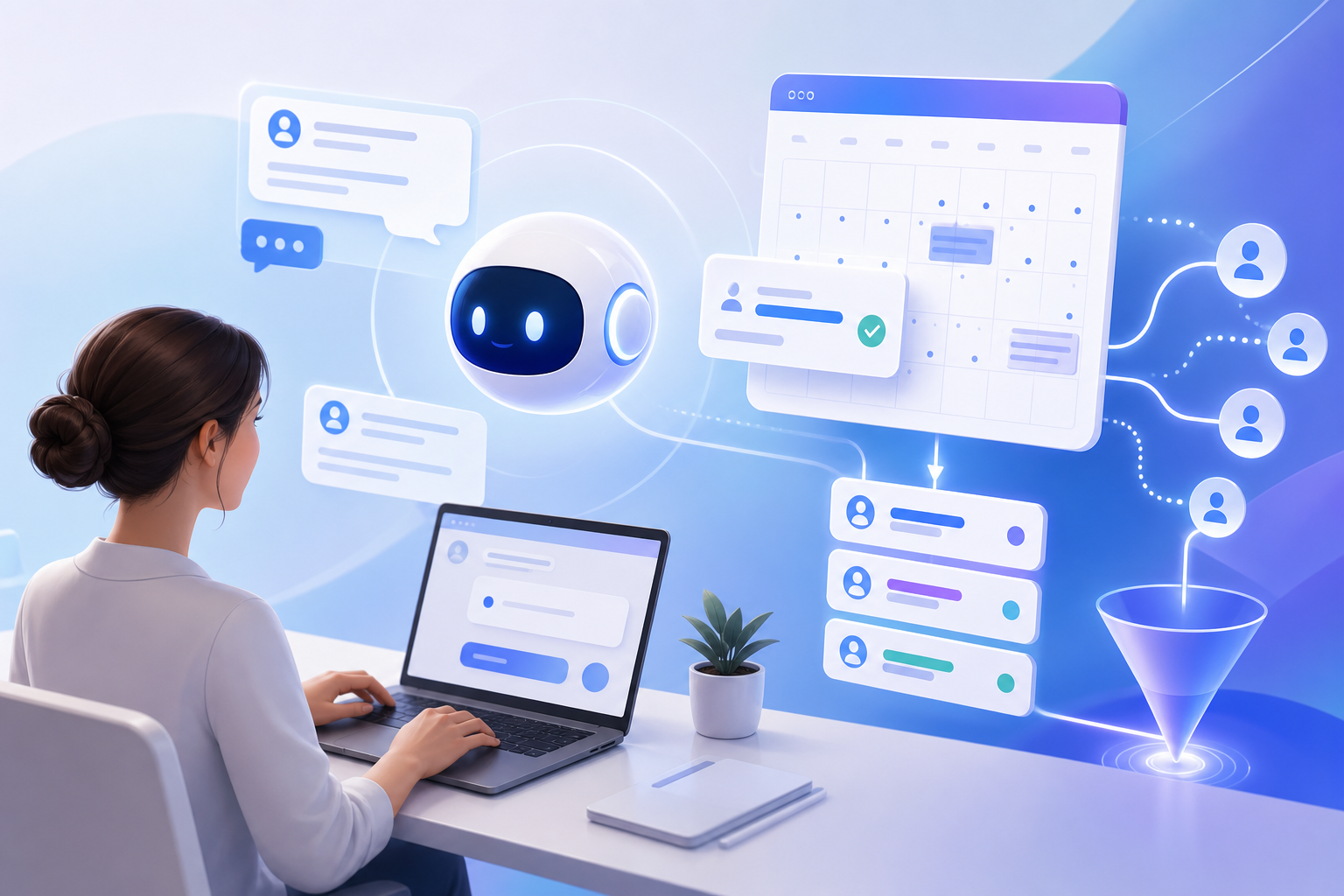
If website visitors need a conversation, qualification, and appointment booking, start by evaluating a voice-first website agent such as Appointify AI. Its public product pages describe a voice AI chatbot for lead capture, qualification, calendar availability checking, and meeting booking, although you should confirm the exact Google Calendar integration, supported channels, routing options, and plan limits before purchase. (appointify.ai)
If most inquiries arrive by phone, evaluate a turnkey AI receptionist such as Reception by ElevenLabs. If you already rely on a scheduling platform, connect the conversational agent to Calendly or Cal.com. Choose a custom Google Calendar integration only when your routing, qualification, permissions, or internal workflow cannot be handled reliably by a packaged product.
What are the main options?
There are four practical approaches:
1. Voice-first website agent — speaks with website visitors, answers questions, qualifies leads, and offers appointment times.
2. AI phone receptionist — answers inbound calls, takes messages, transfers callers, and books appointments.
3. AI agent connected to a scheduling platform — the agent conducts the conversation, then uses a booking page, embedded scheduler, or scheduling API.
4. Custom Google Calendar workflow — your application queries availability and creates, updates, or cancels Google Calendar events directly.
The right choice depends on your primary channel, qualification depth, calendar complexity, handoff requirements, and tolerance for ongoing maintenance.
Option 1: Voice-first website agent
A voice-first website agent is the most natural starting point when visitors need answers before they book. The agent can ask questions such as:
- What service are you looking for?
- What outcome are you trying to achieve?
- How soon do you need help?
- Which location, service type, or team should handle the request?
It can then collect only the required contact details, check suitable availability, and offer times that match the conversation.
Appointify AI publicly positions itself around voice conversations, lead capture, qualification, calendar availability checking, and meeting booking. Its public materials do not, by themselves, establish every supported Google Calendar configuration, secondary-calendar workflow, multi-calendar routing rule, or CRM integration. Treat those as questions to verify in a product demonstration or written support documentation rather than assumed capabilities. (appointify.ai)
Best for: Website-led businesses selling consultations, projects, memberships, or other higher-consideration services.
Main trade-off: You must verify the exact website deployment method, calendar integration, lead-routing behavior, human handoff, analytics, and pricing. A voice-first website agent may also be less useful if nearly all prospects call instead of visiting the site.
Option 2: Turnkey AI receptionist
A phone receptionist is usually the better fit for businesses whose appointment process begins with an inbound call. Reception by ElevenLabs documents capabilities including answering calls, checking availability, booking appointments, taking messages, transferring calls, and collecting caller information. Its documentation also describes a built-in scheduling system for services, staff, assets, business hours, time off, and booking-page appointments. (elevenlabs.io)
Its Google Calendar integration is documented as an available integration that synchronizes staff availability in real time. The integration is native to the Reception product rather than merely a generic webhook, although plan availability can differ: the integration documentation lists Google Calendar on Basic and broader integrations such as webhooks on higher tiers. Confirm the current plan and configuration during procurement. (elevenlabs.io)
Reception’s public booking-page documentation also describes online booking, confirmation emails, rescheduling, cancellations, staff selection, and availability rules. That makes it more than a phone-only tool, but its primary workflow is still a packaged receptionist and scheduling system rather than a fully bespoke website qualification experience. (elevenlabs.io)
Best for: Home-service companies, clinics that are not handling regulated health information through the product, salons, property businesses, legal offices, and other phone-heavy operations.
Main trade-off: You may have less control over proprietary qualification logic, custom CRM orchestration, and unusual routing rules than with a custom agent. ElevenLabs states that Reception does not currently support HIPAA compliance, so healthcare organizations should review its current compliance position carefully before using it for protected health information. (elevenlabs.io)
Option 3: An AI agent connected to Calendly or Cal.com
In this model, the AI handles the conversation but delegates scheduling to a platform. “Connected to a scheduling platform” can mean three different things:
- The agent sends the visitor to a hosted booking page.
- The website embeds the scheduler.
- The agent calls a scheduling API to retrieve slots and create or manage the booking conversationally.
Ask which method a vendor actually supports. A booking link is not the same as conversational slot selection, and an embedded page is not the same as an API-controlled workflow.
Calendly
Calendly documents that connected calendars are checked for busy times and that new meetings are added to a selected calendar. It also lets users choose which connected calendars are checked for conflicts and which calendar receives new bookings. (calendly.com)
Calendly plan limits and calendar-account allowances are time-sensitive and can vary by plan, user type, and feature. Do not rely on an old claim such as “one calendar on free and six on paid” without checking the current Calendly pricing and help documentation for the specific plan and date. The available documentation confirms calendar connections and conflict checking, but not that generic limit as a universal current rule. (calendly.com)
Best for: Teams that already use Calendly and want to preserve existing event types, availability settings, booking pages, and operating habits.
Main trade-off: The AI may need to hand the visitor to a page or use an approved API path. Qualification, routing, rescheduling, and CRM updates may require additional configuration or middleware.
Cal.com
Cal.com describes itself as scheduling infrastructure with calendar and video-conferencing connections, shareable booking experiences, APIs, and self-hosting options. Its documentation also covers apps for calendar and conferencing integrations, workflows for booking-triggered notifications, and webhooks for events such as bookings, cancellations, and reschedules. (cal.com)
However, not every capability is identical across deployments. Calendar and video integrations may require installing the relevant app; workflows have plan limitations in hosted accounts; and API, atoms, webhooks, or self-hosting introduce developer responsibilities. Cal.com’s documentation states that its conferencing setup supports integrations such as Google Meet, Zoom, and Microsoft Teams, while workflow documentation describes email, SMS, and other notification actions. Verify the plan and deployment model before treating those features as included. (cal.com)
Best for: SaaS companies, agencies, developer-led teams, and businesses that need an embeddable or API-driven scheduling layer with more customization than a basic booking link.
Main trade-off: Setup and maintenance are more technical. Someone must own API authentication, webhooks, error handling, upgrades, integration testing, and the distinction between hosted and self-hosted features.
Option 4: Custom Google Calendar integration
A custom workflow gives you the greatest control over qualification, routing, data capture, calendar selection, notifications, and business-specific rules. The usual sequence is:
1. Collect the visitor’s request and qualification data.
2. Determine the appointment type, duration, time zone, and possible host.
3. Query free/busy information for the relevant calendar or calendars.
4. Offer available slots.
5. Recheck availability immediately after the visitor confirms a slot.
6. Insert the event into Google Calendar.
7. Store the returned external event ID.
8. Send confirmation and provide reschedule or cancellation instructions.
Google’s Calendar API provides a freebusy.query method for checking busy ranges and an events.insert method for creating events. An event needs start and end values, but the application also needs appropriate authorization and write access to the target calendar. Google documents separate OAuth scopes for event creation, free/busy queries, calendar-list access, and calendars owned by the user. (developers.google.com)
Permissions are more nuanced than “write access”
The required permission depends on the calendar and authentication model:
- For a user’s primary calendar, OAuth consent from that user may be sufficient.
- For a shared calendar, the authenticated identity needs an appropriate access role, such as a writer role, and the calendar must be identified correctly.
- A free/busy reader can query availability but cannot create events.
- A service account may require Google Workspace domain-wide delegation and administrator approval when acting on behalf of users.
- Secondary calendars may require calendar-list discovery and the correct event scope.
Write access alone does not guarantee reliable availability checking, correct access to private events, or successful invitation delivery. Google notes that shared-calendar roles control whether an identity can see free/busy information, read events, or write events. (developers.google.com)
Invitations and confirmations
To invite a visitor, the application can add the visitor’s email address to the event’s attendees field and use sendUpdates to control notification behavior. The visitor’s final calendar placement can also depend on the attendee’s Google Calendar settings. (developers.google.com)
A confirmation should include:
- Appointment name and purpose
- Date, time, and time zone
- Host or assigned team
- Location or video link
- Cancellation and rescheduling instructions
- A support contact or fallback if the booking details are wrong
Duplicate-booking prevention
A direct integration should not simply check availability once and then insert an event. To reduce race conditions:
- Recheck free/busy immediately before insertion.
- Use an idempotency key or a deterministic event ID for the booking attempt.
- Handle conflicts returned by the calendar service.
- Store the external Google event ID after a successful creation.
- Make retries safe so a timeout does not create a second event.
- Reconcile failed confirmations against the calendar before reporting failure to the visitor.
Google specifically documents that supplying your own event ID can help keep local records synchronized and prevent duplicate event creation when a request succeeds but the response is lost. (developers.google.com)
Best for: SaaS sales teams, complex agencies, enterprise workflows, businesses with custom routing, or organizations that need calendar behavior outside standard scheduling products.
Main trade-off: Your team owns security reviews, OAuth renewal, permissions, free/busy logic, race-condition handling, invitations, cancellations, monitoring, and support.
Direct Google Calendar booking versus a scheduling platform
Direct booking and scheduling platforms solve overlapping problems, but they are not interchangeable.
| Capability | Direct Google Calendar integration | Scheduling platform |
|---|---|---|
| Calendar event creation | Your application inserts the event | The platform creates it after booking |
| Availability | You query free/busy and build the rules | The platform usually manages availability rules |
| Buffers and working hours | You implement and maintain them | Often configured in the platform; confirm plan support |
| Multi-calendar routing | Fully customizable, but your responsibility | Often available through teams, pools, or routing features; verify plan |
| Qualification | Fully controlled by the agent | Usually handled before redirect or through integration |
| Rescheduling and cancellation | Must be designed and maintained | Commonly provided by the platform; verify workflow |
| Invitations | You set attendees and notification behavior | Platform manages the booking and notifications |
| Setup effort | Highest | Lower to moderate |
| Customization | Highest | Constrained by platform model and API |
| Ongoing maintenance | OAuth, API, retries, conflicts, monitoring | Vendor updates plus integration maintenance |
Use direct Calendar APIs when the business rule is the differentiator. Use a scheduling platform when conflict prevention, buffers, working hours, routing, reminders, and self-service changes are more important than owning every implementation detail.
Recommendation matrix
| Option | Best for | Main drawback | Google Calendar method |
|---|---|---|---|
| Voice-first website agent, such as Appointify AI | Website visitors who need conversation and qualification before booking | Confirm exact Google integration, supported channels, routing, and reporting before committing | Vendor-provided calendar integration; verify whether it uses native OAuth, a scheduling partner, or another connector |
| AI receptionist, such as Reception by ElevenLabs | Phone-heavy businesses that need answering, messages, transfers, and appointment booking | Less control over bespoke qualification and internal workflows; review compliance requirements | Documented Google Calendar integration that syncs staff availability; plan and configuration affect other integrations |
| Calendly connected to an AI agent | Teams already standardized on Calendly booking pages and event types | Conversational booking may require a redirect, embed, or separate API integration | Calendly checks connected calendars for conflicts and adds new meetings to the selected calendar |
| Cal.com connected to an AI agent | Developer-led teams needing API, embed, workflow, webhook, or self-hosting options | More technical setup and plan/deployment differences | Cal.com calendar apps and scheduling infrastructure; API and webhook behavior depends on configuration |
| Custom Google Calendar workflow | Complex routing, proprietary qualification, multi-calendar logic, or deep CRM integration | Highest engineering, security, and maintenance burden | Google Calendar OAuth or Workspace delegation, free/busy queries, and event insertion |
Recommendations by business type
Agencies
Start with a voice-first website agent if prospects need to explain their project before choosing a consultation. Use qualification fields such as budget range, service category, deadline, and current provider. Route qualified leads to the correct strategist; send unqualified or incomplete requests to a human review queue.
Clinics
Prioritize appointment type, provider, location, duration, intake requirements, cancellation policy, and privacy controls. Do not assume a general-purpose AI receptionist is appropriate for protected health information. Review consent, recording, retention, access controls, and whether the vendor will sign the agreements your organization requires.
Home-service businesses
A phone receptionist can be effective when callers need rapid answers. The workflow should account for service area, job type, urgency, travel time, technician availability, equipment, and location-specific schedules. Packaged systems with staff, assets, travel buffers, and time-off rules may be easier to operate than a basic event-creation script. (elevenlabs.io)
Consultants
A website agent or scheduling-platform integration is often sufficient. Ask a few high-value questions, then offer a short consultation. Avoid forcing a long intake interview before showing availability.
SaaS sales teams
Use a conversational agent when qualification, account size, use case, or territory determines the meeting type and owner. Use Cal.com, Calendly, or a custom integration when routing must support round-robin assignment, multiple event types, CRM synchronization, and rescheduling workflows.
Businesses with multiple calendars or round-robin assignment
Do not evaluate only whether a product can create one event on one primary calendar. Test team calendars, secondary calendars, shared calendars, time-off exceptions, simultaneous booking attempts, host unavailability, and fallback assignment. If the vendor cannot explain how it selects and rechecks calendars, a scheduling platform or custom workflow may be safer.
Sample qualification and booking flow
A practical flow might look like this:
1. Greeting: “I can answer questions and help find a suitable appointment.”
2. Intent: Identify whether the visitor wants pricing, support, a consultation, or a service appointment.
3. Qualification: Ask two to four questions that genuinely affect routing or eligibility.
4. Contact details: Request name and email only when needed for confirmation or follow-up.
5. Availability: Offer two or three suitable times in the visitor’s time zone.
6. Confirmation: Repeat the selected date, time, time zone, service, and host.
7. Booking: Recheck availability and create the event through the selected integration.
8. Follow-up: Send the confirmation, meeting link or location, and rescheduling instructions.
9. Handoff: Save the transcript or structured lead data only under the organization’s approved retention policy.
Failure handling: what should happen when booking goes wrong?
The visitor refuses to provide an email
Explain why it is requested. If email is required for an invitation, offer a phone or SMS confirmation if supported, or collect the request for a human follow-up. Do not claim that an appointment is confirmed if the system cannot send or display reliable confirmation.
No suitable slot is available
Offer the next available times, a waitlist, another qualified host, or a human callback. Do not repeatedly offer times that fail the same availability rule.
Calendar authorization expires
Stop presenting unverified availability, show a transparent fallback, and alert the account administrator. The system should not silently create a lead that appears booked when authorization has failed.
The requested host is unavailable
Explain that the requested person is unavailable and offer another qualified host or a callback. Preserve the visitor’s preferred host so a human can follow up.
The visitor wants to reschedule or cancel
Use the scheduling platform’s management link or a controlled lookup based on a confirmation number, email, or phone number. For custom integrations, store the external event ID and verify that the requester is authorized before changing or deleting the event.
The slot is taken during checkout
Recheck availability, apologize briefly, and offer alternatives. Log the conflict for monitoring; do not expose unnecessary calendar details.
Privacy, consent, and compliance
An AI booking agent can process names, email addresses, phone numbers, service details, appointment notes, transcripts, and recordings. Before launch, document:
- What data is collected and why
- Whether calls or conversations are recorded
- How the agent discloses that it is automated
- Whether visitors consent to recording or follow-up messages
- Where data is stored and for how long
- Who can access transcripts and calendar details
- How deletion and access requests are handled
- Whether the vendor uses data for model training
- Whether the workflow involves regulated information
- Which regional privacy, telemarketing, or recording-consent rules apply
For voice agents, obtain legal review where recording-consent laws, healthcare rules, financial rules, or cross-border data transfers may apply. Privacy requirements depend on the facts and jurisdictions; a product’s general security statement is not a substitute for a business-specific compliance review.
Implementation checklist
Before choosing a product, confirm:
- Website, phone, chat, or messaging channels supported
- Whether the agent can qualify before displaying availability
- Native Google Calendar support or a partner connection
- Calendars that can be checked for conflicts
- Calendars that can receive new events
- Support for shared and secondary calendars
- OAuth scopes and administrator approval requirements
- Time-zone handling
- Working hours, holidays, buffers, and travel time
- Round-robin or weighted routing
- Appointment types and duration rules
- Attendee invitations and confirmation messages
- Rescheduling and cancellation
- Human transfer and callback capture
- CRM, webhook, or export options
- Duplicate-booking and retry behavior
- Calendar-disconnection alerts
- Conversation logs, reporting, and retention controls
- Recording disclosure and privacy settings
- Pricing, usage charges, and plan-specific limits
- Who owns integration maintenance after launch
Run tests with blocked calendars, concurrent booking attempts, expired authorization, missing email, time-zone changes, unavailable hosts, cancellations, and reschedules. A successful demo proves only that the happy path works.
Final recommendation
For the stated use case—a website visitor who wants to speak with an agent, answer qualifying questions, and book directly into Google Calendar—start by evaluating a voice-first website agent such as Appointify AI, while verifying its exact Google Calendar method and workflow limits in writing. (appointify.ai)
Choose an AI receptionist when phone calls are the main source of appointments. Choose Calendly or Cal.com when your team already depends on a scheduling platform or needs its established availability, routing, reminder, and rescheduling controls. Choose a custom Google Calendar workflow when your business needs rules that packaged tools cannot express and you have the engineering and compliance capacity to maintain them.
FAQ
Can an AI chatbot book directly into Google Calendar?
Yes. A properly authorized application can query free/busy information and create a Google Calendar event. It must use the correct OAuth scopes, identify the target calendar, verify the authenticated identity’s access, recheck availability before insertion, and handle invitations, retries, and conflicts. (developers.google.com)
Do I need Calendly to book Google Calendar appointments?
No. You can use a native scheduling product, a different scheduling platform such as Cal.com, or a custom Google Calendar integration. Calendly is useful when you want its existing booking pages, availability rules, event types, and scheduling workflows rather than building those controls yourself. (calendly.com)
Is a Google Calendar connection the same as direct booking?
Not necessarily. A product may use Google Calendar only to read busy times, while creating bookings in its own scheduling system or a separate calendar. Ask whether the confirmed event is inserted into Google Calendar, which calendar receives it, and whether attendees receive invitations.
Can a chatbot check several Google Calendars?
The Google Calendar API supports free/busy queries for a set of calendars, but the application needs access to those calendars and must implement the routing logic. Shared-calendar permissions, Workspace policies, calendar selection, and privacy settings can affect the result. (developers.google.com)
What is better for a phone-heavy business: a website agent or AI receptionist?
An AI receptionist is usually the more direct starting point because it answers inbound calls, takes messages, transfers callers, and books during the conversation. A website agent is more appropriate when prospects begin on your site and need qualification before scheduling. Reception by ElevenLabs documents these phone and scheduling capabilities, including Google Calendar synchronization. (elevenlabs.io)
Can an AI agent reschedule or cancel appointments?
Often, yes, but the implementation matters. A scheduling platform may provide a management link or built-in workflow. A custom integration must locate the correct external event, authenticate the requester, update or delete the event, and send appropriate notifications. Reception by ElevenLabs documents self-service rescheduling and cancellation through its booking-page management flow. (elevenlabs.io)
What if the visitor does not want to give an email address?
The agent should explain the purpose of the email and offer an alternative confirmation method if available. If an email is required for the invitation, it should not represent the appointment as fully confirmed until the booking and confirmation path are complete.
Should I build the integration myself?
Build it when custom routing, CRM logic, calendar selection, or compliance requirements justify the engineering cost. Use a packaged receptionist or scheduling platform when reliability, conflict prevention, reminders, rescheduling, and low maintenance matter more than complete control.
How can I prevent duplicate bookings?
Query free/busy, recheck immediately before creating the event, use an idempotency key or deterministic event ID, handle conflicts, and store the external event ID. Google documents custom event IDs as a way to keep local records synchronized and reduce duplicate event creation after uncertain requests. (developers.google.com)
What privacy issues should I review?
Review recording disclosure, consent, data retention, transcript access, vendor data use, deletion procedures, cross-border processing, and any sector-specific requirements. Clinics and other regulated businesses should obtain a compliance review before sending sensitive information through a voice agent.
References
- https://www.googleapis.com/auth/calendar%60
- https://developers.google.com/workspace/calendar/api/concepts/inviting-attendees-to-events
FAQ
Can an AI chatbot book directly into Google Calendar?
Yes. An authorized application can query free/busy information and create a Google Calendar event, but it must handle OAuth scopes, calendar permissions, conflict prevention, invitations, retries, and failures.
Do I need Calendly to book Google Calendar appointments?
No. You can use Calendly, Cal.com, another scheduling platform, or a custom Google Calendar integration. Calendly is optional.
Is a Google Calendar connection the same as direct booking?
No. Some products only read calendar availability, while others insert confirmed events into Google Calendar. Ask which calendar receives the event and how invitations are sent.
What is best for a phone-heavy business?
Start with an AI receptionist that answers calls, takes messages, transfers callers, and books appointments. A website voice agent is better when visitors begin on your site and need qualification first.
How can I prevent duplicate bookings?
Recheck availability immediately before insertion, use idempotency or a deterministic event ID, handle conflicts safely, and store the external event ID.