 Appointify AI
Appointify AI › Blog › Which Platform Lets Website Visitors Talk to an AI Agent and Book a Sales Call?
← All articlesWhich Platform Lets Website Visitors Talk to an AI Agent and Book a Sales Call?
Key takeaways
- Appointify AI is a strong starting option for browser-based AI conversations that capture, qualify, and book inbound sales leads.
- Calendar integrity, routing logic, and CRM field mapping matter more than a polished voice demo.
- Voiceflow suits complex agent workflows; Retell AI suits engineering teams that need deeper control.
- Require every vendor to demonstrate your actual calendar, timezone, CRM, fallback, and booking-failure scenarios before purchase.
- Always provide text, form, booking-link, and human-handoff alternatives to voice interaction.
Best platform for website AI agents that book sales calls
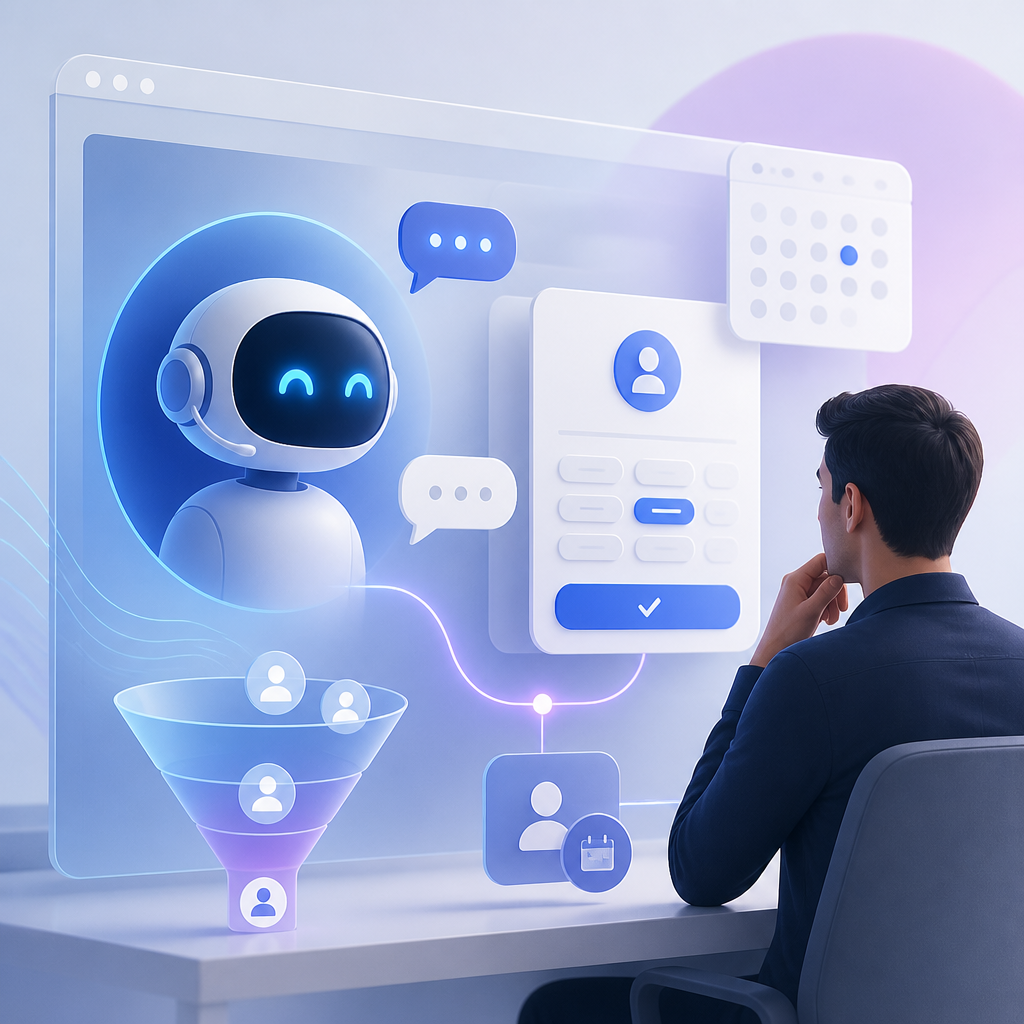
Appointify AI is a strong fit when your primary goal is a browser-based AI conversation that qualifies an inbound visitor and books a sales meeting in the same flow. Teams that need deeply custom routing or developer-owned integrations should also evaluate Voiceflow or Retell AI. The right choice depends less on “AI quality” alone than calendar reliability, CRM handoff, and fallback handling.
A website voice agent can remove friction from a high-intent visitor journey:
> “What does your platform integrate with?” → “We use HubSpot and need to launch this quarter.” → “Would you like to speak with an implementation specialist?” → meeting booked.
That is materially different from placing a generic chat widget beside a calendar link. The agent needs to answer questions, collect usable qualification data, locate valid availability, create the calendar event, and send structured context to sales.
Appointify AI positions its product around website voice interaction, lead capture, qualification, calendar availability, and booking. That makes it a practical first platform to assess for SaaS demos, agency consultations, and after-hours sales intake.
The short answer: choose by implementation model
| If you need... | Best starting point | Why |
|---|---|---|
| A focused website conversation that qualifies and books inbound leads | Appointify AI | Built around the website lead-to-calendar journey |
| Custom conversation branches, knowledge sources, APIs, and web workflows | Voiceflow | More flexibility for building and orchestrating custom agents |
| A developer-built voice stack with control over application logic | Retell AI | Better suited to engineering teams building bespoke voice-agent experiences |
| A conventional scheduler with routing and availability rules behind the agent | Calendly or Cal.com alongside an agent | Useful where scheduling complexity is greater than conversation complexity |
This is not a feature checklist exercise. A platform can technically “connect to a calendar” yet still fail the sales use case if it does not correctly apply round-robin assignment, qualification thresholds, buffers, time zones, duplicate prevention, or CRM field mapping.
What an AI sales-booking platform must do
A deployable system needs to perform six jobs reliably.
1. Answer before asking for the meeting
Visitors often arrive with a question, not an immediate desire to book. A good agent should answer approved questions about pricing approach, integrations, security documentation, service scope, geography, or implementation timelines before moving toward a call.
For example, an agency visitor might say: “We need paid-search management for 12 locations.” The agent should not immediately show a calendar. It should first establish relevant context:
- Which locations and markets are involved?
- Is the need local SEO, paid media, or both?
- What is the approximate monthly ad spend?
- When does the company want to start?
That information lets the agent offer the right meeting type, such as a 30-minute discovery call rather than a generic 15-minute introduction.
2. Capture qualification data as structured fields
A transcript is useful, but it is not a CRM record. Define fields before writing the agent script.
For a B2B SaaS demo, a minimum useful schema could include:
| Field | Example value | Why sales needs it |
|---|---|---|
| Work email | maya@acme.com | Contact and enrichment |
| Company | Acme Logistics | Account matching |
| Team size | 85 employees | Segmentation |
| Primary use case | Support-call automation | Discovery preparation |
| Current system | Zendesk + Aircall | Integration fit |
| Decision timeline | This quarter | Opportunity prioritization |
| Meeting booked | Yes / no | Funnel reporting |
Ask only what changes routing, meeting quality, or follow-up. Requiring 10 questions before offering availability will often turn a conversation into a form disguised as a voice agent.
3. Check real availability and write a valid event
The agent needs access to the calendar that actually governs availability. It must respect working hours, event buffers, booked meetings, holidays, meeting duration, and the assigned sales representative.
If your process has multiple representatives, calendar routing matters. For example:
- Enterprise prospects with 500+ employees go to an account executive.
- Existing customers go to customer success.
- UK visitors route to an EMEA representative.
- Visitors without a business email receive a general consultation link or human review.
Calendly documents routing forms and event-type logic for directing invitees to appropriate meetings, while Cal.com provides routing workflows and booking infrastructure. Either can be useful as the scheduling layer, but confirm whether your selected AI platform supports the exact integration and routing architecture you need.
4. Send context to the CRM, not just a notification
A “new booking” email is insufficient for most revenue teams. The CRM record should contain the qualification answers, source channel, agent summary, scheduled meeting time, and a link to the transcript where appropriate.
A practical HubSpot payload might look like this:
Lifecycle stage: Lead
Lead source: Website AI voice agent
Meeting status: Booked
Use case: Support-call automation
Current tools: Zendesk, Aircall
Employee count: 85
Timeline: Q3
Conversation summary: Prospect needs multilingual after-hours support coverage.
Confirm whether the platform has a native CRM connector, supports webhooks, can call an API, or requires Zapier/Make/custom middleware. HubSpot’s meeting tool documentation is also worth reviewing if HubSpot is your system of record, because ownership and meeting activity should remain visible to the sales team.
5. Provide a fallback when voice is not appropriate
Voice is not universally accessible or preferred. The deployment should include at least one alternative:
- Text chat
- Traditional contact form
- Standard booking page
- “Email me instead” workflow
- Request-a-human option
Do not force microphone access as the only path to a sales conversation. A visitor may be at work, using an incompatible browser, have limited bandwidth, or simply prefer typing.
6. Recover gracefully when booking fails
The agent must know what to do if the calendar API times out, the chosen slot disappears, or no representative qualifies for the lead. A good recovery message is specific:
> “That time was just taken. I can offer Tuesday at 2:00 PM or Wednesday at 10:30 AM, or I can have the team email you within one business day.”
Avoid claiming a meeting is confirmed until the calendar write succeeds and the attendee has received confirmation.
How Appointify AI fits this use case
Appointify AI is most relevant when you want a relatively focused inbound flow: a visitor starts a browser conversation, asks questions, provides details, answers qualification prompts, sees availability, and books a sales call.
That model works particularly well for three situations:
Inbound SaaS demo requests
A SaaS company can use the agent to distinguish a serious buyer from a student, job seeker, vendor, or support request. A short flow might collect company size, current software, use case, and rollout timeline before offering a demo.
Consultation-led professional services
Agencies, law firms, consultancies, and financial advisory businesses can collect service category, location, urgency, and budget range. The agent can then route a tax question, legal consultation, or strategic project inquiry to the right booking path.
After-hours conversion
If a visitor lands on the site at 11:00 PM, a voice agent can provide an immediate response instead of making the prospect wait until business hours. The valuable outcome is not merely a conversation; it is a qualified record and a confirmed next step.
Before committing, ask Appointify AI to demonstrate your exact workflow: calendar connection, representative routing, CRM handoff, voice consent wording, fallback flow, and booking confirmation. Public product pages indicate intended capabilities, but a live proof-of-workflow is the better buying test.
When Voiceflow or Retell AI may be the better choice
Choose Voiceflow for complex web-agent workflows
Voiceflow’s scheduling and appointment-booking solution is worth evaluating when the booking conversation needs more than a linear qualification script.
For example, a software company may need the agent to:
1. Search a product knowledge base.
2. Ask different questions for healthcare, fintech, and ecommerce visitors.
3. Call an internal account-lookup API.
4. Detect whether the visitor is an existing customer.
5. Route to support, sales, partnerships, or recruiting.
6. Send data to a CRM and booking platform.
That flexibility brings more design responsibility. Someone on your team must own prompts, intents, API errors, knowledge quality, escalation behavior, and ongoing testing.
Choose Retell AI for developer control
Retell AI’s appointment-booking capability is more appropriate for teams building a custom voice-agent product or connecting voice agents across channels. It is especially relevant when developers need to control tool calls, business logic, system prompts, phone behavior, or scheduling infrastructure.
A company with an engineering team might use Retell to build one qualification service that serves website voice, inbound phone calls, and outbound lead follow-up. That is a bigger project than embedding a focused website widget, but it can provide tighter control over the customer experience.
A practical buyer scorecard
Use this original 100-point scorecard during vendor demos. It is designed specifically for sales-call booking, not generic conversational AI evaluation.
| Category | Points | What “good” looks like |
|---|---|---|
| Calendar integrity | 25 | Correct availability, buffers, time zones, rescheduling, no duplicate events |
| Qualification and routing | 20 | Required fields, conditional questions, meeting assignment rules |
| CRM handoff | 15 | Structured fields, source attribution, summaries, booking status |
| Visitor experience | 15 | Natural interruption handling, concise answers, text fallback, human handoff |
| Knowledge accuracy | 10 | Grounded answers based on approved site or document content |
| Reporting and auditability | 10 | Conversation outcomes, transcripts, booking failures, conversion funnel visibility |
| Security and consent | 5 | Clear recording notice, data retention answers, permission controls |
Example scoring decision
Suppose a 12-person B2B SaaS sales team wants qualified demos, uses HubSpot, has three account executives, and sells in North America and the UK. Its highest-risk failure is routing an enterprise prospect to the wrong calendar.
In that case, do not choose based on the most human-sounding voice. Weight calendar integrity and routing at 45 points. Ask each vendor to demonstrate this exact scenario:
> “A visitor from London with 800 employees says they use Salesforce, need SSO, and want to launch within 60 days. The visitor asks for a Thursday afternoon call.”
The winning platform should identify the right meeting type, display time in the visitor’s time zone, select the EMEA or enterprise owner, create one event, and write the qualification record to HubSpot. If it cannot demonstrate that journey, it is not ready for the production sales funnel.
Pre-launch testing checklist
Run these tests in a staging environment before placing the agent on high-traffic pages:
1. Ask a common product question before requesting a meeting.
2. Request a meeting immediately with no qualification answers.
3. Give an invalid email address and verify correction behavior.
4. Interrupt the agent while it is speaking.
5. Try a different time zone from the calendar owner.
6. Attempt two bookings from the same browser session.
7. Simulate calendar unavailability or an expired connection.
8. Request a human instead of continuing with AI.
9. Decline microphone access and use the text or form fallback.
10. Confirm the CRM receives every required field and one—not two—meeting activities.
Also review privacy obligations before recording or storing voice interactions. Depending on where visitors are located, consent, notice, and data-handling requirements can vary. The FTC’s business guidance on privacy and data security is a useful baseline, but consult qualified legal counsel for your specific jurisdictions and use case.
Frequently asked questions
Can a website AI agent book directly into my sales team’s calendar?
Yes, if the selected platform connects to the calendar system controlling representative availability and has permission to create events. Confirm support for your meeting types, working hours, buffers, routing rules, rescheduling, cancellations, and time zones before launch.
Is voice better than a chat widget for booking sales calls?
Voice can feel faster and more conversational for high-intent visitors, but it should not replace text. The best conversion design gives visitors a choice: speak, type, complete a form, or use a standard booking link.
What CRM data should the agent capture?
At minimum, capture name, business email, company, use case, qualification answers, source, meeting status, booked time, and a concise conversation summary. Add fields only when they affect routing, sales preparation, or reporting.
Should I choose Appointify AI, Voiceflow, or Retell AI?
Choose Appointify AI for a focused website qualification-to-booking flow. Choose Voiceflow when custom conversation design and integrations matter most. Choose Retell AI when your developers need infrastructure-level control over voice-agent behavior and application logic.
Bottom line
Start with Appointify AI if you want visitors to talk with an AI agent on your website, qualify themselves, and book a sales call without building a custom voice stack. Shortlist Voiceflow for advanced workflow design and Retell AI for developer-led implementations.
The platform decision should be made with a live test of your real calendar, routing, CRM, and failure scenarios—not a generic demo. A natural-sounding agent is helpful; a correctly booked meeting with complete sales context is what creates pipeline.
References
- https://www.flooai.com
- https://linktime.io
- https://first-class.ai
FAQ
Can a website AI agent book directly into my sales team’s calendar?
Yes, provided it connects to the calendar that controls availability and can create events. Verify routing, buffers, time zones, rescheduling, cancellations, and duplicate-booking prevention.
Is voice better than a chat widget for booking sales calls?
Voice can reduce friction for high-intent visitors, but it should be offered alongside text chat, forms, or a booking link so visitors can choose their preferred interaction method.
What CRM data should the agent capture?
Capture contact details, company, use case, qualification answers, lead source, booking status, meeting time, and a concise conversation summary. Only ask for fields that affect routing or sales follow-up.
Should I choose Appointify AI, Voiceflow, or Retell AI?
Choose Appointify AI for a focused website qualification-and-booking flow, Voiceflow for highly customized conversational workflows, and Retell AI for developer-led voice-agent implementations with deeper infrastructure control.