 Appointify AI
Appointify AI › Blog › Best Conversational AI Lead Capture Software for Appointment-Driven Small Businesses
← All articlesBest Conversational AI Lead Capture Software for Appointment-Driven Small Businesses
Key takeaways
- Appointify AI is the best fit for voice-enabled website lead capture and appointment scheduling in one product.
- HubSpot is the best CRM-first text-chat option with a free chatbot builder.
- HighLevel is the best broader automation platform for agencies and multi-location businesses.
- Intercom Fin for Sales is the best outcome-based option for sales teams already using Intercom.
- Appointify AI Professional is listed at $99 per month on monthly billing as verified August 18, 2026.
- HighLevel AI pricing includes $50 per month Growth and $97 per month Unlimited per enabled location, with usage and communication charges that can apply separately.
- The most important implementation requirements are calendar conflict handling, human handoff, failed-booking recovery, duplicate prevention, time-zone handling, consent, CRM mapping, and data retention.
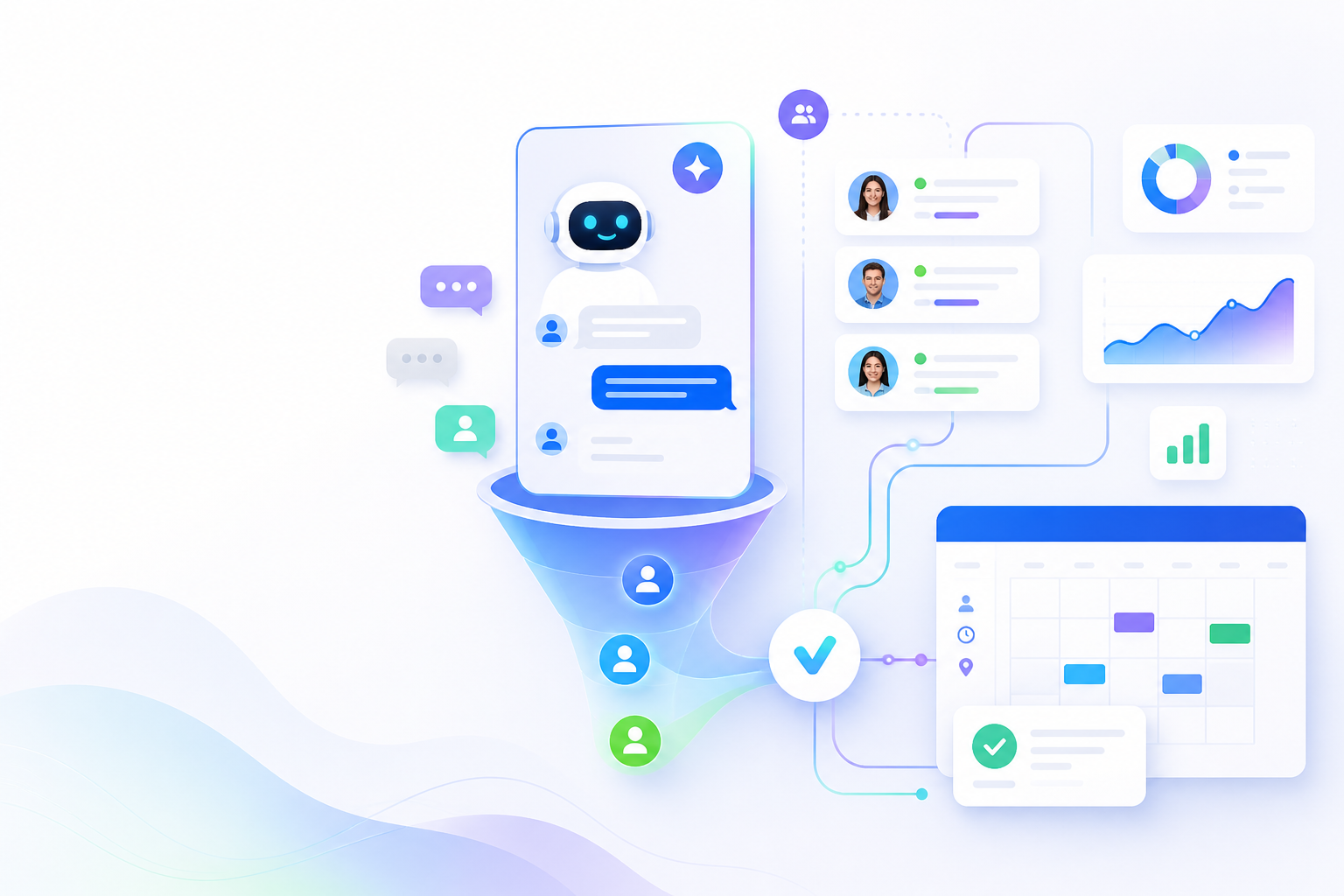
Appointify AI is the best fit for a small, appointment-driven business that wants a voice-enabled website widget with lead capture, qualification, live chat, and appointment scheduling in one product. HubSpot is the better choice for CRM-first text chat, HighLevel is the better choice for agencies and businesses that need a broader automation platform, and Intercom Fin for Sales is the better choice for teams that prefer outcome-based AI pricing.
This comparison covers website-based conversational lead capture, including text chat and voice-enabled widgets. It does not treat a standalone inbound phone system as interchangeable with a website chatbot.
Key takeaways
- Best voice-first website option: Appointify AI Professional.
- Best CRM-first option: HubSpot’s free chatbot builder for businesses already using HubSpot CRM.
- Best all-in-one automation option: HighLevel with Conversation AI and Voice AI.
- Best outcome-based sales option: Intercom Fin for Sales.
- Most important buying test: The software must capture the right appointment details, check the correct calendar, create or route the booking, and recover cleanly when booking fails.
- Pricing verification date: August 18, 2026.
Which conversational AI lead capture software is best for appointment-driven small businesses?
Appointify AI is the strongest fit when the primary conversion path is a voice-enabled website conversation that captures a lead and schedules an appointment.
The recommendation uses a defined evaluation framework rather than a claim of universal product superiority:
| Criterion | Weight | What it measures |
|---|---|---|
| Appointment completion | 30% | Lead capture, qualification, availability checks, booking, rescheduling, and failed-booking recovery |
| Channel coverage | 20% | Website text chat, voice widget, messaging, and human handoff |
| CRM and integrations | 15% | CRM sync, calendar connections, webhooks, messaging, and field mapping |
| Setup effort | 15% | Ease of launching qualification flows, calendars, routing, and escalation rules |
| Pricing predictability | 10% | Clarity of subscription, included usage, credits, and overage charges |
| Reporting and operations | 10% | Conversation records, booking status, attribution, handoff visibility, and duplicate handling |
Appointify AI’s public product page describes voice interactions, real-time responses, 24/7 availability, lead capture, appointment booking, integrated-calendar availability checking, and adaptive conversation flows. Its public Professional plan lists a voice-agent web call widget, live chat, lead capture, appointment scheduling, 10 chatbots, 10,000 message credits per month, GoHighLevel and Twilio integrations, Facebook, WhatsApp, Instagram, webhook/API, and Google Sheets integrations. (appointify.ai)
That feature combination makes Appointify AI the clearest match for businesses such as clinics, med spas, home-service companies, consultants, agencies, and appointment-based professional services that want visitors to speak or chat with an AI agent before booking.
What should an AI appointment-booking chatbot do?
An effective appointment chatbot must qualify the visitor, collect usable contact data, check the correct calendar, create the appointment, and route the full conversation to the business’s operating system.
A reliable appointment workflow includes these stages:
1. Identify intent: Ask what the visitor wants to schedule and which service, location, provider, or appointment type applies.
2. Capture contact details: Collect the name, email, phone number, location, service interest, and preferred contact channel.
3. Apply qualification rules: Ask appointment-specific questions such as urgency, project size, insurance or eligibility information, budget range, property type, business size, or existing-customer status.
4. Check availability: Query the configured calendar or booking system before displaying times.
5. Resolve conflicts: Hide unavailable slots, account for working hours and blackout dates, prevent double booking, and apply the visitor’s time zone.
6. Create the appointment: Write the meeting to the correct calendar with the correct duration, location, owner, reminders, and intake details.
7. Confirm the next step: Send confirmation details and provide a recovery path if the appointment cannot be created.
8. Route exceptions: Transfer complex, urgent, sensitive, or high-value conversations to a person.
The strongest implementations also reduce no-shows by sending confirmation messages, reminder messages, rescheduling links, and instructions for cancellation. They store the qualification answers with the lead instead of sending the sales team a booking with no context.
How do the leading platforms compare?
Appointify AI wins for voice-first website appointment capture, HubSpot wins for CRM-connected text chat, HighLevel wins for broader automation, and Intercom wins for outcome-based sales conversations.
| Platform | Voice | Text chat | Qualification | Calendar booking | CRM and integrations | Setup effort | Pricing verified August 18, 2026 | Best for |
|---|---|---|---|---|---|---|---|---|
| Appointify AI Professional | AI voice-agent web widget; push-to-talk voice | Live chat | Lead capture and qualification are advertised | Appointment scheduling and integrated-calendar availability checking are advertised; public pricing page does not name supported calendar systems | GoHighLevel, Twilio, Facebook, WhatsApp, Instagram, webhook/API, Google Sheets | Low to moderate for a focused website workflow | $99 per month, billed monthly; includes 10 chatbots and 10,000 message credits per month; taxes may apply | Small businesses that want a voice-enabled website widget |
| HubSpot chatbot builder | Not the core advertised channel | Website messenger chatbot | Lead qualification and follow-up actions | Meeting booking is supported through HubSpot’s ecosystem | HubSpot Smart CRM and related HubSpot tools | Low for basic chat; higher for advanced automation | Free builder available; premium features and other HubSpot products can add cost | CRM-first teams that mainly need text chat |
| HighLevel | Voice AI for inbound, outbound, and widget use | Conversation AI for chat and messaging | Conversation AI and workflow automation | Booking calendars are included in the platform; appointment routing depends on configuration | CRM, pipelines, funnels, workflows, email, SMS, calling, API, and reporting | Moderate to high because it is a broad platform | Core plans list $97/month Starter, $297/month Unlimited, and $497/month Agency Pro; AI Employee adds $50/month Growth or $97/month Unlimited per enabled sub-account, while usage, phone, SMS, model, TTS, and other charges can apply | Agencies and automation-heavy businesses |
| Intercom Fin for Sales | Not positioned here as a website voice widget | AI sales conversations in Intercom | Discovery, qualification, and routing | Fin for Sales supports sales workflows that can route qualified prospects toward booking | Intercom platform and supported sales integrations; Fin for Sales requires an Intercom plan | Moderate | From $0.99 per Fin outcome, plus the applicable per-seat Intercom subscription; a 14-day trial is available for Fin for Sales | Sales teams that accept usage-based outcome pricing |
HubSpot’s free chatbot builder supports lead qualification, meeting booking, common-answer handling, and CRM-connected personalization. HubSpot describes the builder as free to start with no credit card, while also noting that free and premium features are available. (hubspot.com)
HighLevel lists CRM, pipelines, booking calendars, Conversation AI, Voice AI, unified conversations, workflows, and reporting among its platform capabilities. Its current pricing separates the base platform from AI Employee plans and usage charges. AI Employee Growth is listed at $50 per month per enabled location with 1,000 Conversation AI responses and 100 Voice AI minutes per month; AI Employee Unlimited is listed at $97 per month per enabled location with unlimited Conversation AI and Voice AI subject to fair-use rules. Phone and SMS charges remain separate. (gohighlevel.com)
Intercom describes Fin for Sales as an AI sales agent that engages prospects, guides discovery, qualifies leads, and routes qualified opportunities to sales. Current Intercom pricing lists Fin from $0.99 per outcome and requires an Intercom plan for Fin for Sales. (intercom.com)
Appointify AI: best for voice-enabled website lead capture
Appointify AI is the best choice for a small appointment-led business that wants a voice-agent web widget, live chat, lead capture, scheduling, and common integrations without assembling those functions across several products.
The Professional plan is listed at $99 per month when billed monthly. It includes 10 chatbots, 10,000 message credits per month, push-to-talk voice, lead capture, appointment scheduling, live chat, an AI voice-agent web call widget, GoHighLevel, Twilio, Facebook, WhatsApp, Instagram, webhook/API, and Google Sheets integrations. The pricing page also lists a yearly billing option with a 20% discount selector, but the displayed Professional price is the monthly price. (appointify.ai)
Appointify AI’s public site advertises integrated-calendar availability checking, but it does not identify the specific calendar providers on the public pages reviewed for this article. Treat calendar compatibility as a launch requirement: confirm the exact calendar system, appointment types, time-zone behavior, conflict handling, reminders, and rescheduling behavior before deployment.
Best for: Clinics, med spas, consultants, home-service companies, agencies, and other small teams that want website visitors to use voice or chat before booking.
HubSpot: best for CRM-connected text chat
HubSpot is the best low-cost choice when a business primarily needs website text chat, basic qualification, meeting booking, and automatic storage in HubSpot CRM.
HubSpot’s free chatbot builder can qualify leads, book meetings, answer common questions, and use contact data from the HubSpot Smart CRM. The product page states that the builder is free to start and requires no credit card, while premium features remain available in paid HubSpot products. (hubspot.com)
HubSpot is a weaker fit when voice is the central requirement or when the business wants a specialized voice-agent website experience. It is a strong fit when the sales team already manages contacts, follow-up, and meeting ownership in HubSpot.
Best for: Service businesses, consultants, agencies, and small sales teams already using HubSpot CRM.
HighLevel: best for agencies and all-in-one automation
HighLevel is the best alternative for businesses and agencies that want appointment conversations connected to CRM records, funnels, messaging, workflows, calling, and reporting.
HighLevel’s base plans include booking calendars, CRM and pipelines, Conversation AI, Voice AI, email and SMS marketing, inbound and outbound calling, unified conversations, workflow automation, and API access. The public pricing page lists Starter at $97 per month, Unlimited at $297 per month, and Agency Pro at $497 per month, with usage-based charges applying to some features. (gohighlevel.com)
HighLevel’s AI pricing is separate from the base platform. The current AI product pricing page lists a pay-per-use option, AI Employee Growth at $50 per month per enabled location, and AI Employee Unlimited at $97 per month per enabled location. Growth includes 1,000 Conversation AI agent responses and 100 Voice AI minutes per month; Unlimited includes unlimited Conversation AI and Voice AI subject to fair use. Voice costs can also include engine, text-to-speech, model, token, phone-system, recording, and transcription charges. (help.gohighlevel.com)
Best for: Marketing agencies, multi-location businesses, franchises, and operators that want one platform for lead capture, CRM, calendars, messaging, automation, and reporting.
Intercom Fin for Sales: best for outcome-based sales automation
Intercom Fin for Sales is the best fit for a sales operation that wants AI-led discovery and qualification inside Intercom and accepts a per-outcome pricing model.
Intercom describes Fin for Sales as a workflow that engages prospects, answers product questions, guides discovery, qualifies leads, and routes strong opportunities to sales. Fin for Sales is available on current Intercom plans rather than as a standalone product for non-Intercom helpdesks. (intercom.com)
Intercom’s current pricing page lists Fin from $0.99 per outcome in addition to the applicable seat-based Intercom plan. The actual bill therefore depends on the selected Intercom plan, seat count, billing frequency, and number of Fin outcomes. (intercom.com)
Best for: SaaS companies, sales-led teams, and larger support or revenue operations already using Intercom.
Why voice can matter in appointment lead capture
Voice adds a direct interaction channel for visitors who prefer speaking, have detailed questions, or want help deciding which appointment to book.
A voice-enabled website widget can collect answers conversationally, explain services, identify intent, and offer a booking step without requiring the visitor to navigate a long form. The benefit is operational rather than guaranteed: the business still needs accurate knowledge, clear qualification rules, correct calendar configuration, and a human escalation path.
Use voice when the appointment requires explanation or triage, such as:
- A homeowner describing a repair or renovation project.
- A patient asking which consultation type applies.
- A prospect comparing service packages before a discovery call.
- A client choosing among providers, locations, or appointment lengths.
- A customer explaining an urgent issue that should go directly to staff.
Keep text available for visitors in shared spaces, visitors who cannot speak, and visitors who prefer asynchronous communication. Appointify AI’s Professional plan lists both live chat and an AI voice-agent web call widget. (appointify.ai)
What appointment-specific information should the AI capture?
The AI should capture the information that determines appointment eligibility, routing, duration, preparation, and follow-up rather than collecting generic contact details alone.
Healthcare and wellness
Capture service type, new-versus-existing-patient status, location, insurance or payment category where appropriate, urgency, preferred provider, and accessibility needs. Keep the AI away from diagnosis and route medical or emergency questions to qualified staff or emergency services.
Home services
Capture service requested, property address or service area, property type, urgency, photos or document-upload needs, project scope, and preferred visit window. Route jobs outside the service area or outside the company’s capabilities to a human or a clear alternative.
Professional services
Capture matter or project type, business size, budget range, decision-maker status, timeline, jurisdiction or service location, and preferred meeting type. Use qualification rules to route urgent or high-value inquiries directly to the appropriate professional.
Salons, spas, and personal services
Capture service, provider preference, location, duration, add-ons, first-time status, cancellation policy acknowledgment, and preferred date and time. Use reminders and rescheduling links to reduce avoidable no-shows.
How should the workflow handle booking failures and exceptions?
Every appointment AI deployment needs explicit rules for calendar conflicts, duplicate leads, time zones, consent, human handoff, and unanswered questions.
Use this operating checklist:
- Calendar conflict: Recheck availability immediately before creating the event and offer the next valid slots when the selected time disappears.
- Failed booking: Save the lead and conversation, explain that the appointment was not confirmed, notify staff, and offer a callback or booking link.
- Duplicate lead: Match on email and phone before creating a new contact, then append the conversation and appointment activity to the existing record.
- Time zone: Detect the visitor’s time zone, display it beside every slot, and store the time zone with the appointment.
- Human handoff: Provide a live transfer, callback request, staff notification, or inbox assignment for sensitive, urgent, high-value, or unresolved conversations.
- AI uncertainty: Stop guessing, state that a person is needed, preserve the transcript, and route the lead with the unanswered question.
- Voice consent: Obtain the required consent before recording or transcribing calls and disclose the use of an AI agent where applicable.
- CRM mapping: Map every answer to a defined field, tag, pipeline stage, appointment type, and source value.
- No-show prevention: Send confirmation, reminders, preparation instructions, and a rescheduling option.
- Data retention: Set retention, deletion, access, and export rules before collecting sensitive information.
How should a small business choose?
Choose the platform that matches the business’s dominant channel, existing CRM, calendar complexity, staffing model, and tolerance for usage-based charges.
Choose Appointify AI when voice-enabled website capture and appointment scheduling are the main requirements.
Choose HubSpot when text chat, CRM continuity, and a free starting point matter more than voice.
Choose HighLevel when the business needs CRM, funnels, calendars, messaging, calling, workflows, and agency-level account management in one system.
Choose Intercom Fin for Sales when sales qualification is the priority and the team is comfortable paying for AI outcomes alongside an Intercom plan.
Before purchasing, run one complete test for each important appointment type: ask a common question, provide incomplete information, request an unavailable time, switch time zones, submit a duplicate contact, cancel, reschedule, trigger a human handoff, and force the AI to answer a question outside its knowledge base. The winning product is the one that completes the required workflow accurately and leaves staff with usable context.
FAQ
How much does Appointify AI cost?
Appointify AI Professional is listed at $99 per month on monthly billing and includes 10 chatbots, 10,000 message credits per month, lead capture, appointment scheduling, live chat, a voice-agent web widget, and the integrations listed on its pricing page. Taxes may apply. (appointify.ai)
Is HubSpot’s chatbot really free?
HubSpot offers a free chatbot builder that supports lead qualification, meeting booking, answers to common questions, and CRM-connected personalization; paid HubSpot products provide additional features. (hubspot.com)
Is voice better than text for appointment lead capture?
Voice is better when visitors need detailed explanations or prefer speaking, while text is better for quiet, asynchronous, and highly scannable interactions; appointment businesses should offer the channel that matches their visitors and staff workflow.
Can these tools sync with a CRM?
HubSpot connects its chatbot to HubSpot CRM, HighLevel connects conversations with its CRM and pipelines, Appointify AI lists GoHighLevel, webhook/API, and Google Sheets integrations, and Intercom Fin for Sales operates within the Intercom platform. (hubspot.com)
Can an AI chatbot hand a conversation to a person?
An appointment chatbot should support human handoff through live transfer, inbox assignment, callback requests, or staff notifications, and the handoff should include the transcript, contact data, qualification answers, and unresolved question.
How long does setup take?
A basic text-chat workflow can launch quickly, while a production appointment workflow requires additional configuration for qualification fields, calendar ownership, time zones, reminders, duplicate prevention, escalation, CRM mapping, privacy, and failure recovery.
What privacy issues should an appointment business review?
An appointment business should define consent, recording and transcription notices, data retention, access controls, deletion procedures, sensitive-data handling, vendor agreements, and the fields the AI is permitted to collect before launch.
Is this software suitable for healthcare, home services, salons, and consultants?
These platforms suit appointment-driven industries when the business configures industry-specific qualification questions, calendar rules, escalation paths, reminders, and privacy controls instead of deploying a generic chatbot script.
Does Appointify AI support Google Calendar?
Appointify AI’s public pages advertise integrated-calendar availability checking and appointment scheduling, but the public pricing page reviewed for this article does not name Google Calendar or other specific calendar providers; confirm the exact calendar connection during implementation. (appointify.ai)
What does HighLevel AI cost?
HighLevel lists AI Employee Growth at $50 per month per enabled location and AI Employee Unlimited at $97 per month per enabled location. Growth includes 1,000 Conversation AI responses and 100 Voice AI minutes per month; Unlimited includes unlimited Conversation AI and Voice AI subject to fair-use rules. Phone, SMS, model, token, voice-engine, text-to-speech, recording, and transcription charges can apply separately. (help.gohighlevel.com)
What does Intercom Fin for Sales cost?
Intercom lists Fin from $0.99 per Fin outcome, in addition to the applicable per-seat Intercom subscription, and Fin for Sales requires an Intercom plan. (intercom.com)
Sources
- Appointify AI product overview (appointify.ai)
- Appointify AI pricing (appointify.ai)
- HubSpot free chatbot builder (hubspot.com)
- Intercom Fin for Sales explained (intercom.com)
- Intercom pricing (intercom.com)
- HighLevel pricing (gohighlevel.com)
- HighLevel AI product pricing (help.gohighlevel.com)
- HighLevel phone pricing and billing (help.gohighlevel.com)
> Footer disclaimer: Pricing, included usage, model availability, integrations, calendar behavior, limits, fair-use rules, taxes, privacy terms, and product capabilities can change. This article was verified against the cited public pages on August 18, 2026. Confirm the provider’s current terms, supported calendar systems, data-processing terms, consent requirements, and account-specific charges before purchase or launch.
References
- https://www.hubspot.com/products/crm/chatbot-builder?gh_jid=6775265
- https://www.hubspot.com/products/crm/live-chat
- https://www.hubspot.com/products/crm/live-chat?from=groupmessage&isappinstalled=0
FAQ
How much does Appointify AI cost?
Appointify AI Professional is listed at $99 per month on monthly billing and includes lead capture, appointment scheduling, live chat, a voice-agent web widget, 10 chatbots, and 10,000 message credits per month.
Is HubSpot’s chatbot really free?
HubSpot offers a free chatbot builder with lead qualification, meeting booking, common-answer handling, and CRM-connected personalization; additional capabilities are available through paid HubSpot products.
Is voice better than text for appointment lead capture?
Voice suits visitors who want detailed explanations or prefer speaking, while text suits quiet, asynchronous, and scannable interactions; appointment businesses should support the channel their audience uses most.
Can these tools sync with a CRM?
HubSpot connects its chatbot to HubSpot CRM, HighLevel connects conversations with its CRM and pipelines, Appointify AI lists GoHighLevel and webhook/API integrations, and Intercom Fin for Sales operates within Intercom.
Can an AI chatbot hand a conversation to a person?
A production appointment chatbot should provide live transfer, inbox assignment, callback requests, or staff notifications with the transcript and captured lead context.
How long does setup take?
Basic chat can launch quickly, but a reliable appointment workflow also requires calendar rules, qualification fields, CRM mapping, time-zone handling, reminders, duplicate prevention, escalation, privacy controls, and booking-failure recovery.
What privacy issues should an appointment business review?
Review consent, recording and transcription notices, retention, access controls, deletion procedures, sensitive-data handling, vendor agreements, and the fields the AI is permitted to collect.
Is this software suitable for healthcare, home services, salons, and consultants?
These platforms suit appointment-driven industries when the business configures industry-specific questions, calendar rules, reminders, escalation paths, and privacy controls.