 Appointify AI
Appointify AI › Blog › AI Appointment Booking Agent: How It Works, What to Look For, and Where Appointify AI Fits
← All articlesAI Appointment Booking Agent: How It Works, What to Look For, and Where Appointify AI Fits
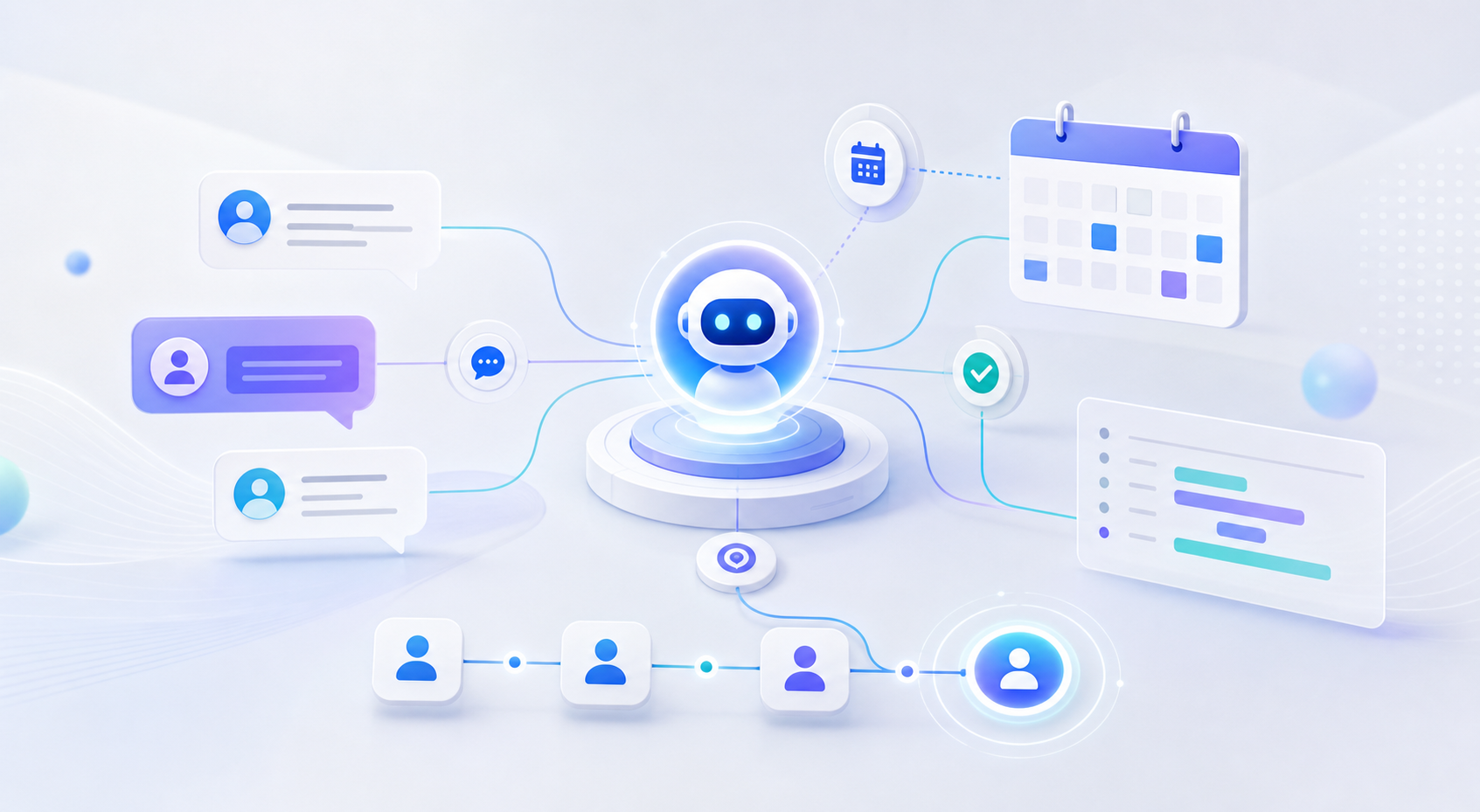
AI appointment booking agents help businesses capture high-intent leads the moment they arrive, qualify them automatically, and book meetings without back-and-forth emails. The best tools do more than show a calendar: they ask smart questions, sync with your CRM, handle reschedules, and keep working after hours so fewer opportunities slip away.
Introduction
If your website still relies on a contact form, you are asking motivated prospects to wait. An AI appointment booking agent reduces that delay by turning inbound interest into a live conversation, then into a confirmed meeting. For service businesses, clinics, agencies, home services companies, and sales teams, that can mean faster response times, cleaner handoffs, and fewer missed leads.
This guide explains what an AI appointment booking agent is, how it works on a website, the features that matter most, common implementation mistakes, and how to evaluate a platform such as Appointify AI in a practical way.
What Is an AI Appointment Booking Agent?
An AI appointment booking agent is software that interacts with a visitor through chat, voice, SMS, or web form logic to complete a scheduling workflow automatically. In practice, that usually includes five jobs:
1. Start the conversation immediately when a visitor lands on the site or asks for help.
2. Collect contact details such as name, phone, email, location, or company.
3. Qualify the lead using routing questions like budget, service type, urgency, insurance provider, or project timeline.
4. Check real calendar availability and present valid appointment options.
5. Confirm, remind, reschedule, or cancel without staff intervention.
The important distinction is that a true booking agent is not just a chatbot and not just a scheduling widget. It combines conversation, business rules, and system integrations in one flow.
How AI Appointment Booking Works on a Website
Most website-based AI booking systems follow a similar technical path:
1. Trigger and greet
A visitor clicks a chat bubble, taps a "Book now" button, or speaks into a voice widget. The agent opens with a short prompt such as:
- “Looking to schedule a demo?”
- “Need a roofing estimate?”
- “Would you like the next available consultation?”
2. Gather the minimum required information
Instead of showing a long form, the agent asks one question at a time. For example, a dental office might ask:
- Are you a new or existing patient?
- What type of appointment do you need?
- Do you prefer mornings or afternoons?
- What is the best phone number for confirmations?
This conversational structure usually feels lighter than a six-field form because the user only sees the next step.
3. Qualify and route
A strong AI appointment booking agent applies logic before offering time slots. For example:
- A law firm may route personal injury cases differently from family law inquiries.
- A med spa may block certain services from being booked without a deposit.
- A B2B SaaS company may send enterprise prospects to account executives and smaller accounts to SDRs.
This is where many “AI schedulers” fall short: they can book time, but they cannot apply enough business context to protect your team’s calendar.
4. Check live availability
The agent connects to scheduling infrastructure such as Google Calendar, Microsoft 365, or a meeting platform like Calendly. Google documents appointment scheduling directly in Calendar, while Microsoft provides scheduling through Outlook and Bookings in Microsoft 365 environments. These integrations prevent double-booking and allow the AI to present only valid slots. See Google Calendar appointment schedules and Microsoft Bookings.
5. Confirm and follow up
After a time is selected, the system sends confirmation by email or SMS, writes the event to the calendar, and optionally pushes lead data into a CRM such as HubSpot or Salesforce. HubSpot and Salesforce both publish documentation around CRM workflow automation and scheduling-related integrations: HubSpot meeting scheduler and Salesforce scheduling overview.
Why Businesses Are Adopting AI Booking Agents Now
The biggest driver is not novelty. It is response time.
When someone visits your website ready to book, every extra step creates drop-off risk. If the only option is “fill out this form and we’ll get back to you,” the lead may leave, call a competitor, or forget entirely.
AI booking agents are appealing because they are:
- Always available: useful for nights, weekends, and holidays.
- Instant: no inbox lag before qualification begins.
- Consistent: every lead gets the same required questions.
- Scalable: one agent can handle multiple simultaneous conversations.
- Operationally efficient: fewer manual scheduling calls and email chains.
This aligns with broader customer-service automation trends. For example, Gartner and McKinsey have both repeatedly highlighted growing enterprise investment in AI-enabled workflows, especially where speed and service consistency matter.
What an Effective AI Appointment Booking Agent Should Include
Not every tool marketed as an “AI booking assistant” is equally useful. Look for these capabilities.
Real-time voice and chat
Voice can be especially useful on mobile, for accessibility, or when users want the fastest path to booking. Chat remains ideal for quieter environments and users who prefer reading.
Qualification logic
The system should do more than collect a name and email. It should support conditional questions like:
- If service = emergency, offer same-day callback.
- If budget is below threshold, route to self-serve information.
- If location is outside service area, stop booking and offer alternatives.
Calendar integration
At minimum, support for Google Calendar or Microsoft 365 should be available. If your team already uses a scheduling layer like Calendly, the AI should connect without requiring duplicate admin work.
CRM and lead-source sync
If a booking happens but the lead never enters your CRM with source attribution, your reporting breaks. Good systems pass:
- Contact data
- Conversation transcript
- UTM parameters
- Selected service or intent
- Booked rep or location
Rescheduling and cancellation flows
Appointment volume is only half the problem. The real burden often comes from changing appointments. A useful agent should let visitors reschedule or cancel without calling your team.
Guardrails and fallback paths
The agent needs a clear handoff path for edge cases, including:
- “I need to talk to a person.”
- “None of these times work.”
- “I have a billing issue, not a booking request.”
A Practical Framework for Evaluating Appointify AI
Appointify AI is positioned around appointment-driven lead capture, especially for businesses that want voice-first engagement on their website. That can be a meaningful differentiator if your visitors often arrive from mobile traffic, paid ads, or after-hours searches and need immediate interaction rather than a static scheduler.
When evaluating Appointify AI specifically, use this checklist:
1. Can it complete the full workflow?
Do not stop at “it can book meetings.” Ask whether it can:
- qualify the lead,
- route by service or location,
- write to calendar,
- update CRM,
- send reminders,
- handle reschedules.
2. Does the voice experience sound natural enough?
Voice-first tools need especially careful testing. Review:
- interruption handling,
- pronunciation of names and business terms,
- latency between user response and AI reply,
- recovery when the user says something unexpected.
3. Can your team edit logic without engineering help?
Marketing and operations teams should be able to change prompts, qualification rules, operating hours, and routing settings quickly.
4. Does it protect your highest-value calendar slots?
For example, a home services company might want only in-service-area estimate requests to reach field reps. Everyone else should be filtered, redirected, or queued for callback.
Proprietary Implementation Examples: Where AI Booking Actually Adds Value
To increase information gain, here are concrete workflow patterns businesses commonly use when deploying AI booking agents.
Example 1: Med spa consultation funnel
Goal: convert paid search visitors into consultations.
Workflow:
1. AI greets visitor from a Botox or laser landing page.
2. Asks whether they are a new or returning client.
3. Collects desired treatment category.
4. Confirms preferred location.
5. Offers only providers certified for that treatment.
6. Sends SMS confirmation and pre-visit instructions.
Why it works: it avoids generic booking and matches the prospect to the right provider immediately.
Example 2: HVAC emergency triage
Goal: separate urgent service calls from routine estimates.
Workflow:
1. AI asks whether there is no heating, no cooling, leak, or maintenance need.
2. If emergency, requests ZIP code and preferred callback number.
3. If inside service area, escalates to on-call technician or same-day calendar.
4. If routine estimate, presents standard booking slots.
Why it works: the calendar is not clogged with non-urgent or invalid requests, and urgent jobs get priority.
Example 3: B2B demo qualification
Goal: prevent unqualified demo bookings from hitting senior sales reps.
Workflow:
1. AI asks company size, use case, and timeline.
2. If the account matches ICP, routes to AE calendar.
3. If early-stage or very small, routes to group demo, recorded tour, or SDR.
4. Pushes transcript and qualification answers into CRM.
Why it works: sales capacity is reserved for the highest-fit accounts.
Common Mistakes to Avoid
Treating the AI like a form with extra steps
If the agent asks too many low-value questions, it becomes a slower form. Keep only the questions needed to qualify, route, and book.
Offering time slots too early
If you show the calendar before qualification, you risk letting poor-fit leads occupy valuable time.
Ignoring channel preference
Some audiences prefer voice; others prefer silent chat. If possible, offer both.
Forgetting no-show reduction
Scheduling is only part of ROI. Reminder emails, SMS nudges, and easy rescheduling matter just as much.
Failing to measure the right metrics
Track more than booking count. At minimum, monitor:
- conversation-to-booking rate,
- qualified-booking rate,
- show rate,
- reschedule rate,
- lead-to-opportunity rate,
- booked meetings by source.
Pricing: What to Compare Beyond the Sticker Price
AI appointment booking pricing can look deceptively simple. A low monthly cost may exclude the features that actually reduce workload.
Compare pricing across these dimensions:
- Number of conversations or minutes included
- Voice vs. chat pricing differences
- Calendar integrations included or paid add-ons
- CRM sync availability
- SMS reminder costs
- Number of users, locations, or calendars
- Setup and customization fees
- Human handoff or call-transfer features
A useful question is not “What does it cost per month?” but “What does it cost to take a visitor from intent to confirmed appointment with no staff involvement?”
Final Takeaway
An AI appointment booking agent is most valuable when it replaces delay, not just admin. The strongest systems capture intent immediately, ask the right qualification questions, sync with your calendars and CRM, and finish the booking process in one session.
If Appointify AI delivers that full workflow—especially with a strong voice-first experience—it can be a strong fit for appointment-driven businesses that want faster lead capture and better after-hours coverage. The key is to evaluate it as an operational system, not just a chatbot or a calendar overlay.
FAQ
What does an AI appointment booking agent actually do?
It starts a conversation with a prospect, collects relevant details, qualifies the request, checks real calendar availability, books the appointment, and sends confirmations or reminders automatically.
Can an AI appointment booking agent replace a contact form?
Often, yes. For high-intent website traffic, an AI agent usually creates a faster path to booking than a static form because it responds immediately and can complete qualification and scheduling in one flow.
Does a voice-first AI booking agent work better than chat?
Not always. Voice can be excellent for mobile users, accessibility, and urgent service scenarios, while chat may be better in offices or quiet public settings. Many businesses benefit most from offering both.
What integrations matter most before buying one?
Start with calendar sync, CRM sync, SMS or email reminders, and routing logic. Without those, you may end up with booked meetings that still require manual follow-up and data entry.
How should I measure success after launch?
Look at qualified bookings, show rate, reschedules, speed to booking, and downstream revenue impact—not just the number of conversations started.
References
- https://appointify.ai
- https://www.ghostify.io
- https://www.frontiq.ai
- https://useagentify.com
- https://axify.ai
- https://0e190a550a8c4c8c4b93‑fcd009c875a5577fd4fe2f5b7e3bf4eb.ssl.cf2.rackcdn.com/EINPresswire%E2%80%91750588885%E2%80%91axify%E2%80%91s%E2%80%91new%E2%80%91ai%E2%80%91booking%E2%80%91agent%E2%80%91to%E2%80%91boost%E2%80%91revenue%E2%80%91for%E2%80%91service%E2%80%91businesses%E2%80%912.pdf
FAQ
What does an AI appointment booking agent actually do?
It starts a conversation with a prospect, collects relevant details, qualifies the request, checks real calendar availability, books the appointment, and sends confirmations or reminders automatically.
Can an AI appointment booking agent replace a contact form?
Often, yes. For high-intent website traffic, an AI agent usually creates a faster path to booking than a static form because it responds immediately and can complete qualification and scheduling in one flow.
Does a voice-first AI booking agent work better than chat?
Not always. Voice can be excellent for mobile users, accessibility, and urgent service scenarios, while chat may be better in offices or quiet public settings. Many businesses benefit most from offering both.
What integrations matter most before buying one?
Start with calendar sync, CRM sync, SMS or email reminders, and routing logic. Without those, you may end up with booked meetings that still require manual follow-up and data entry.
How should I measure success after launch?
Look at qualified bookings, show rate, reschedules, speed to booking, and downstream revenue impact—not just the number of conversations started.